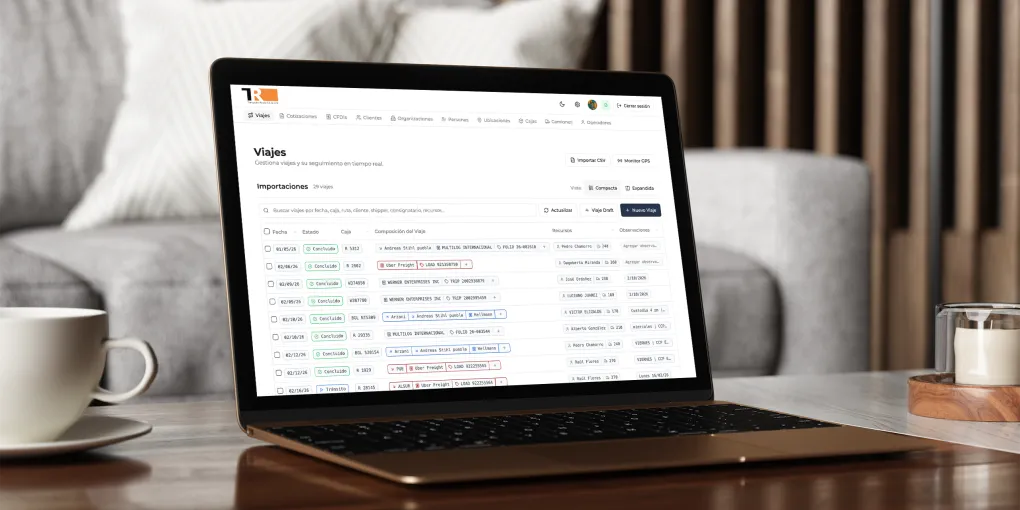
Custom ERP Development for a Logistics Company
Introduction
Transportes Rivelo is a freight transportation company in Mexico. Their operation is concentrated in the Puebla-Nuevo Laredo corridor, where they manage import/export routes with the United States. To optimize daily operations, Rivelo needed a unified system to centralize shipment management, fleet control, quoting workflows, and GPS tracking.
In 2025, we started collaborating with Rivelo to build Potenza, a custom ERP platform that would allow both operations and commercial teams to manage complex logistics processes in one place. This case study walks through key screens in Potenza and shows how each module supports and records operations.
Viaje: The Core Operational Unit
Viajes (shipments) are the main entity in the ERP. A viaje orchestrates the rest of the platform entities: drivers, trucks, trailers, locations, and more. These elements combine to represent each shipment, assign resources, track progress, and document daily execution.
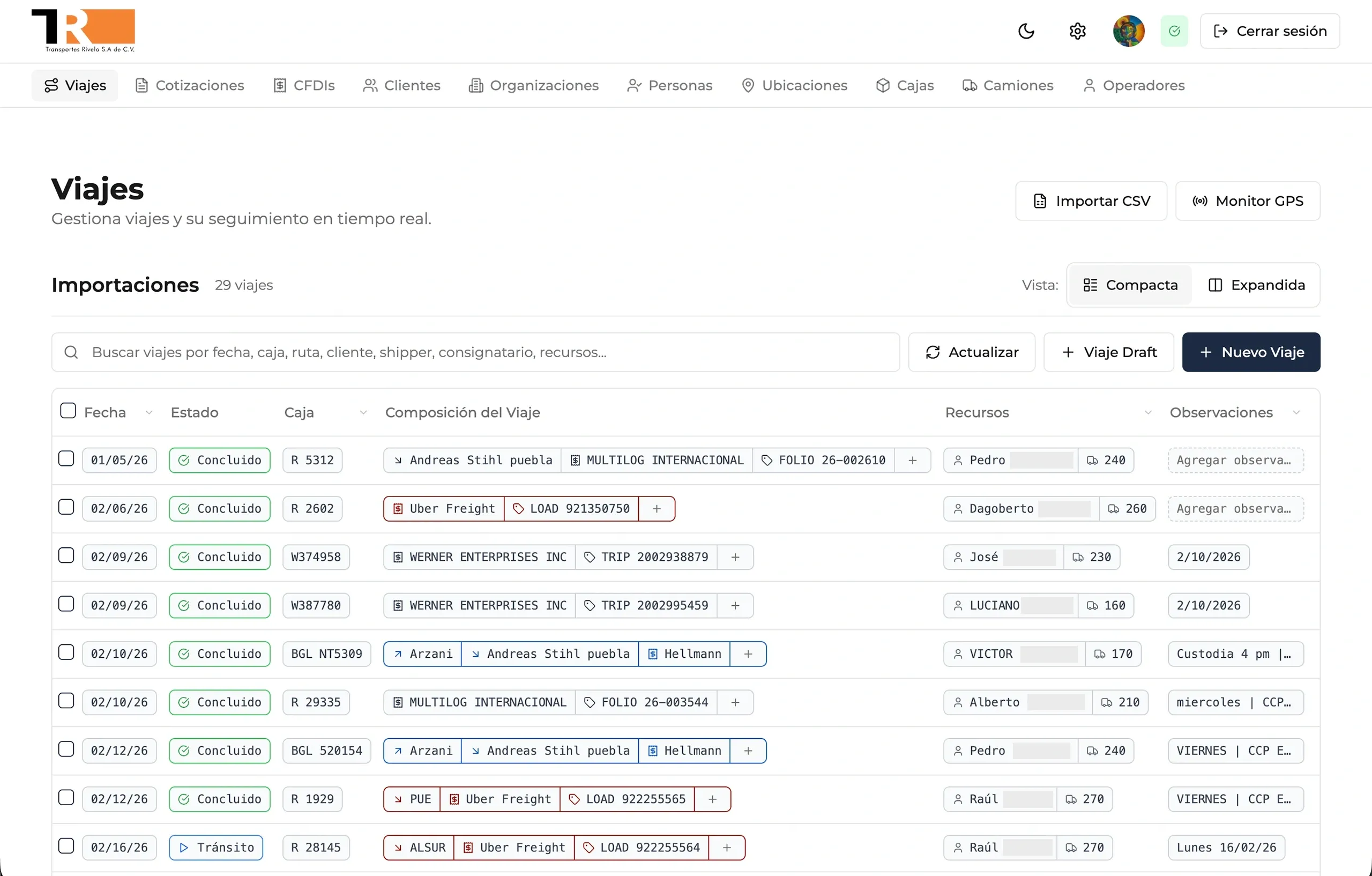
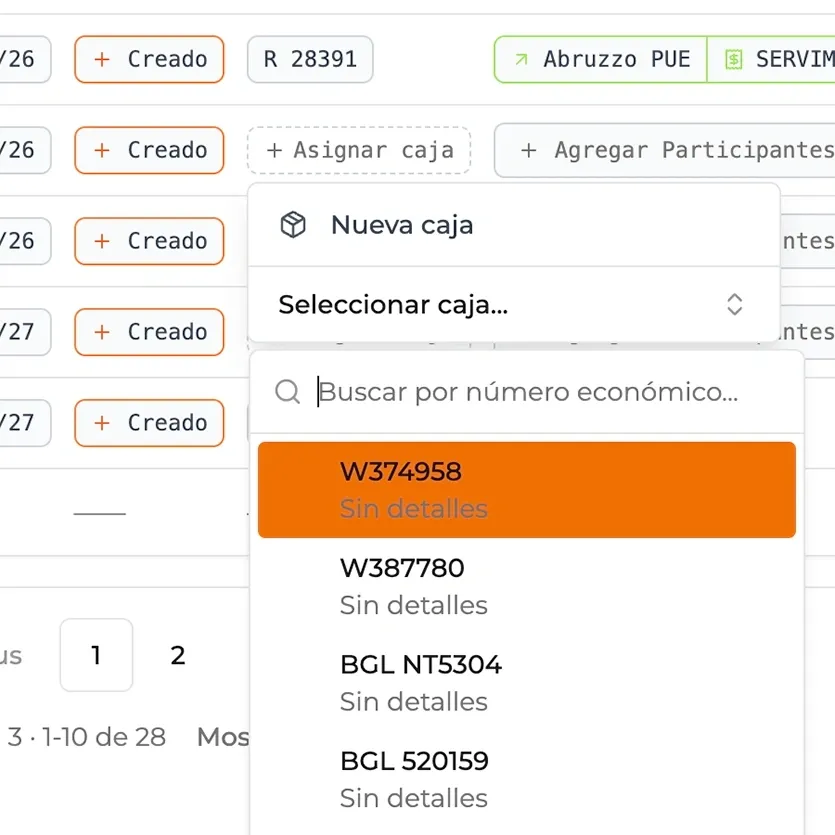
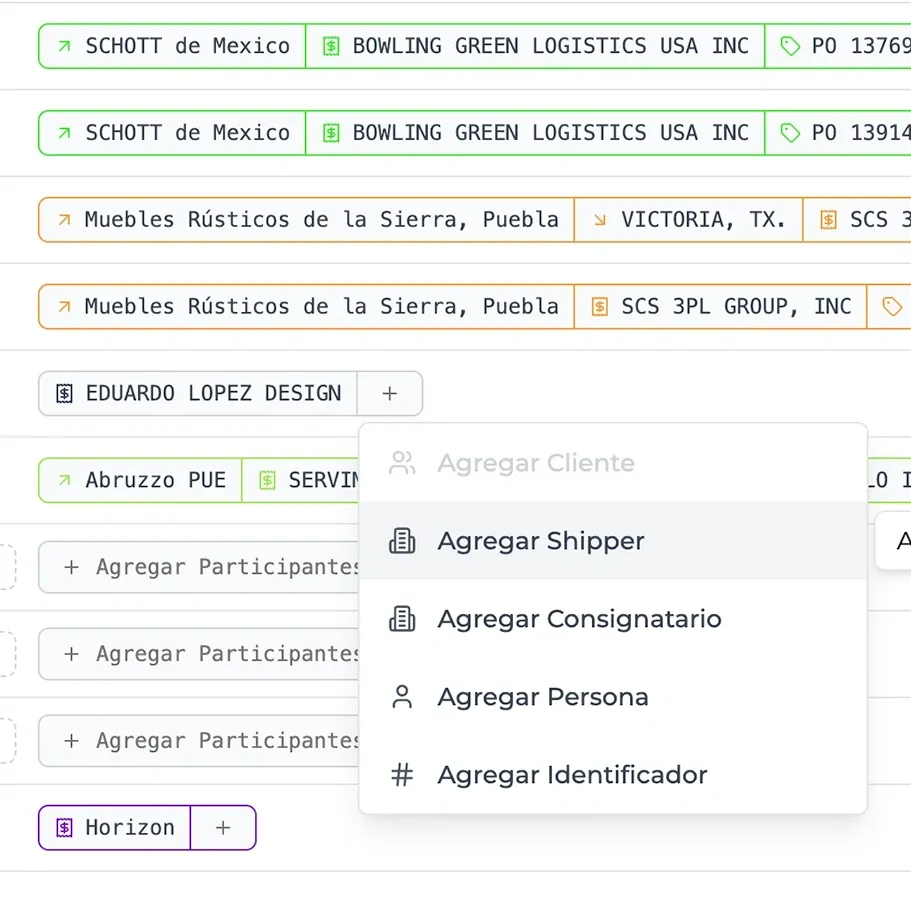
The Viajes view is the home screen of the application. From here, operations teams monitor the status of recent viajes and manage core viaje composition data such as client, origin, destination, assigned driver, truck, and trailer.
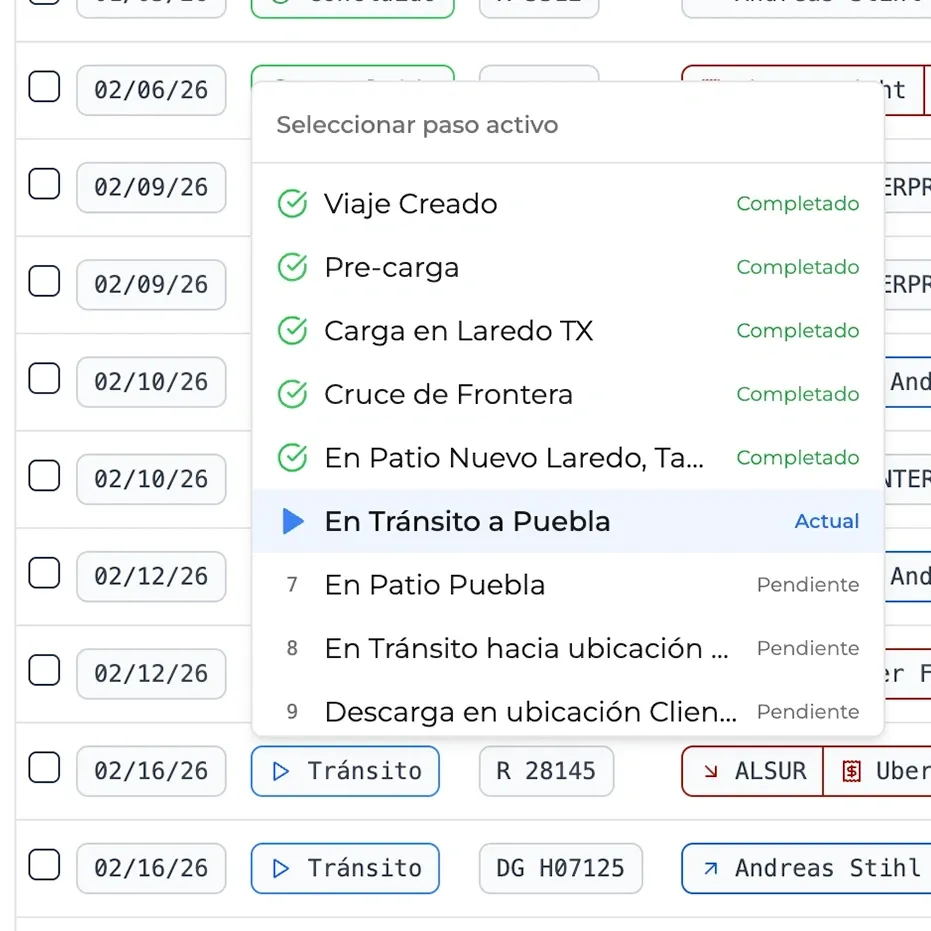
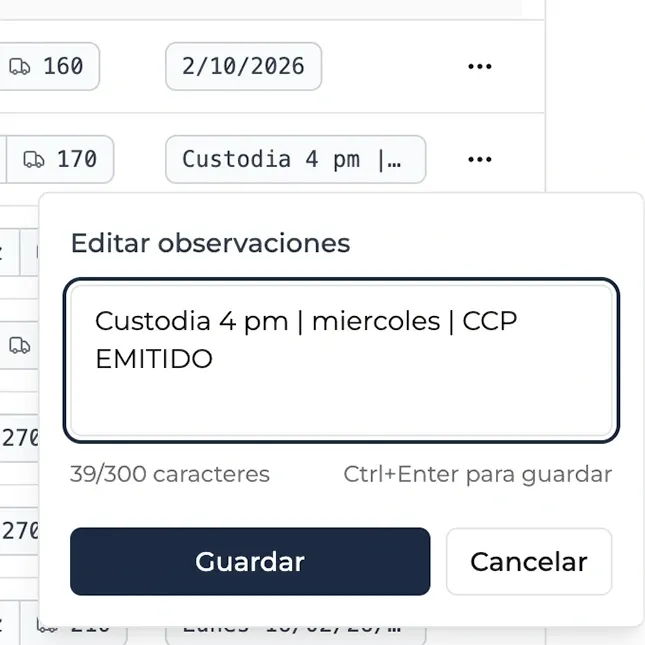
From this view, users can execute quick actions through contextual menus, such as advancing viaje status, adding observations, or editing viaje composition. This reduces navigation friction and keeps focus on execution.
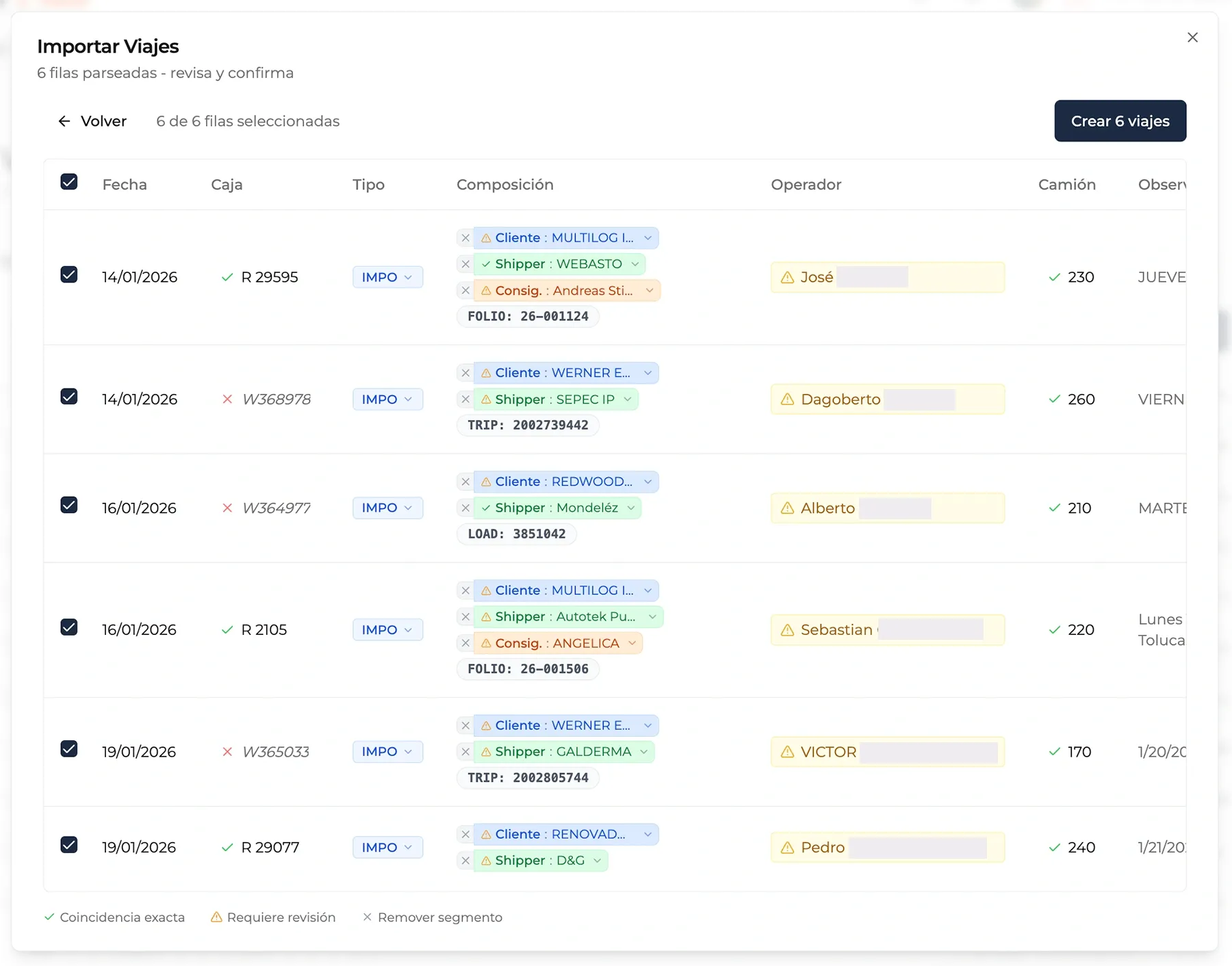
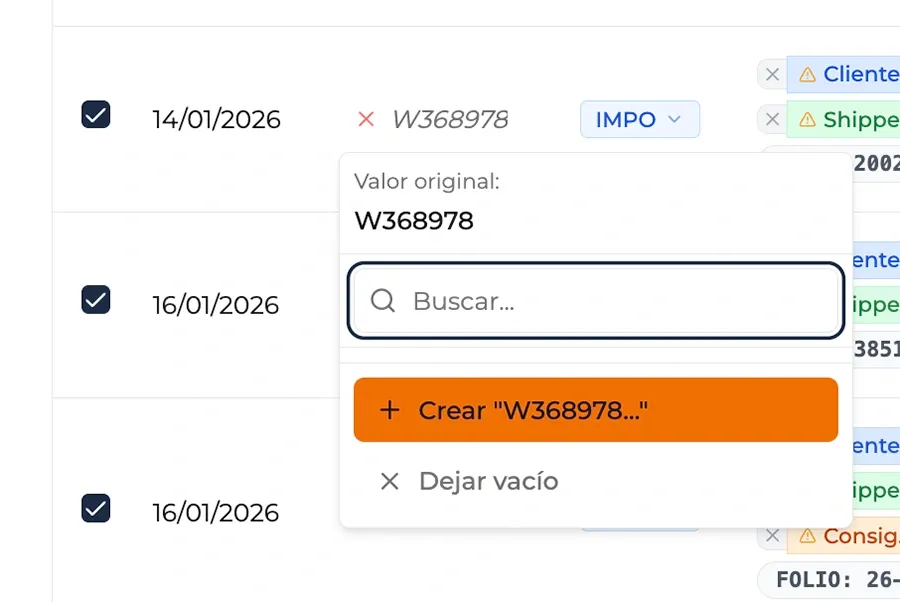
The Viajes page also supports batch import. The company uses external spreadsheets as an additional process during viaje registration. With this feature, the team can copy and paste from Excel or import CSV files to create multiple viajes quickly. The system guides users through column mapping, validation, and final confirmation to ensure clean integration.
Creating a Viaje
Viajes can be created in three ways: directly from the viajes view, through batch import, or through the dedicated form shown below. This form captures the full set of required fields and illustrates how the app aggregates data from different entities (clients, drivers, trucks, trailers, locations) into a single operational unit.
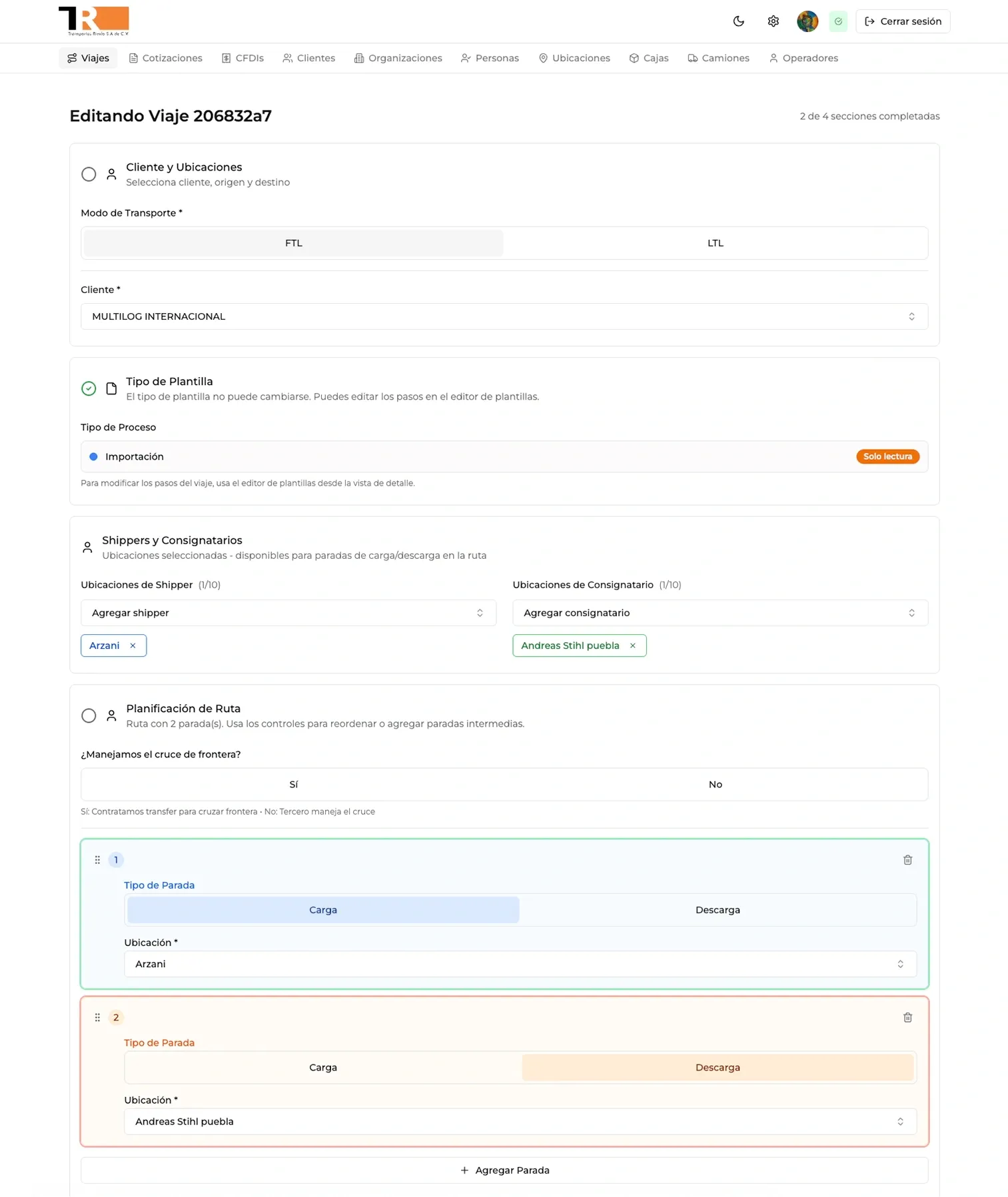
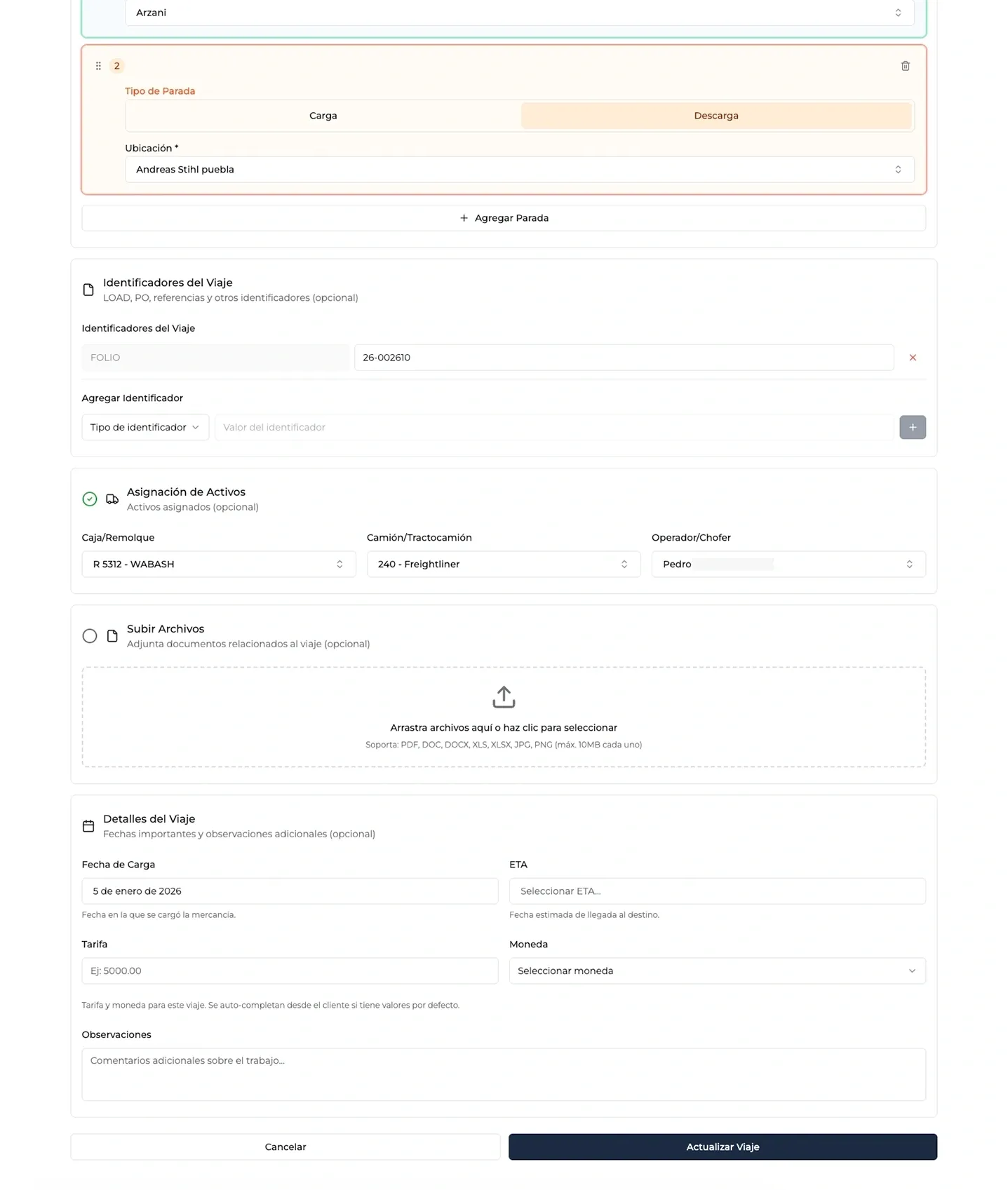
Data captured here is reflected both in the viaje list and viaje detail views, where teams continue updating execution status as shipments progress.
Viaje Detail View and Logbook
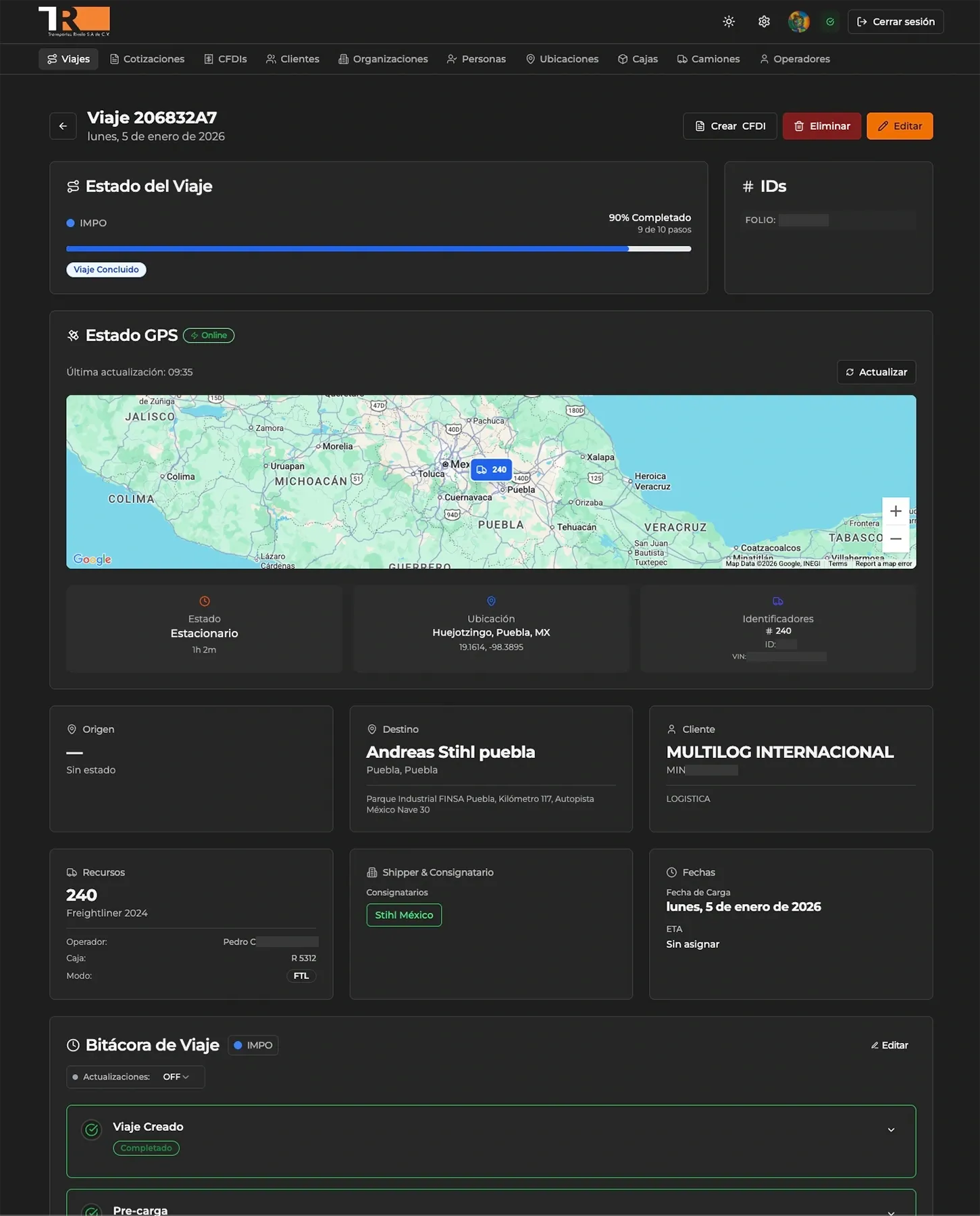
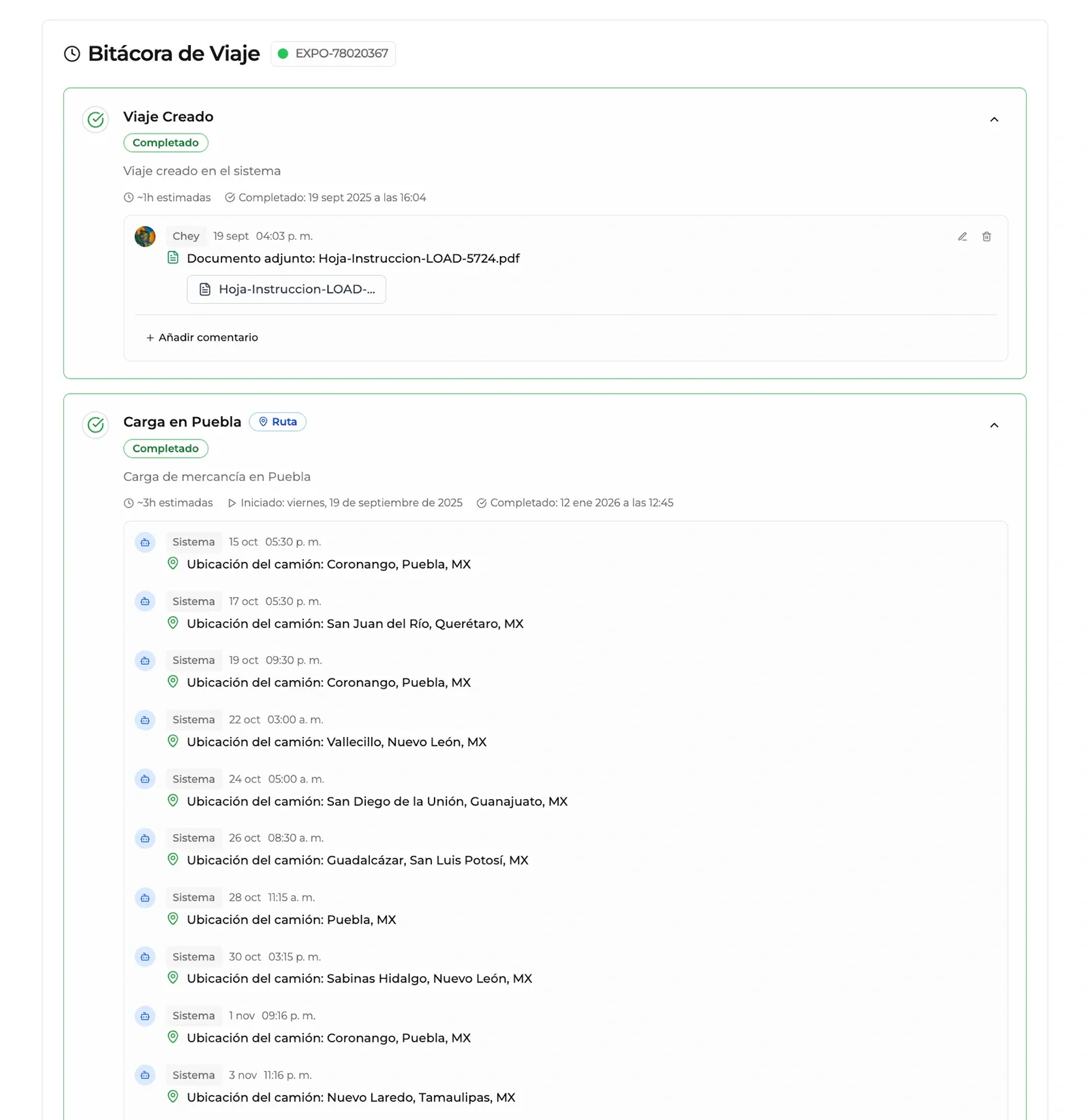
Once a viaje is created, teams can navigate to its detail view to monitor progress, register events, attach files, and validate data. This view centralizes all relevant viaje information, including administrative context, current truck location, and event logs with GPS updates.
Workflow Templates
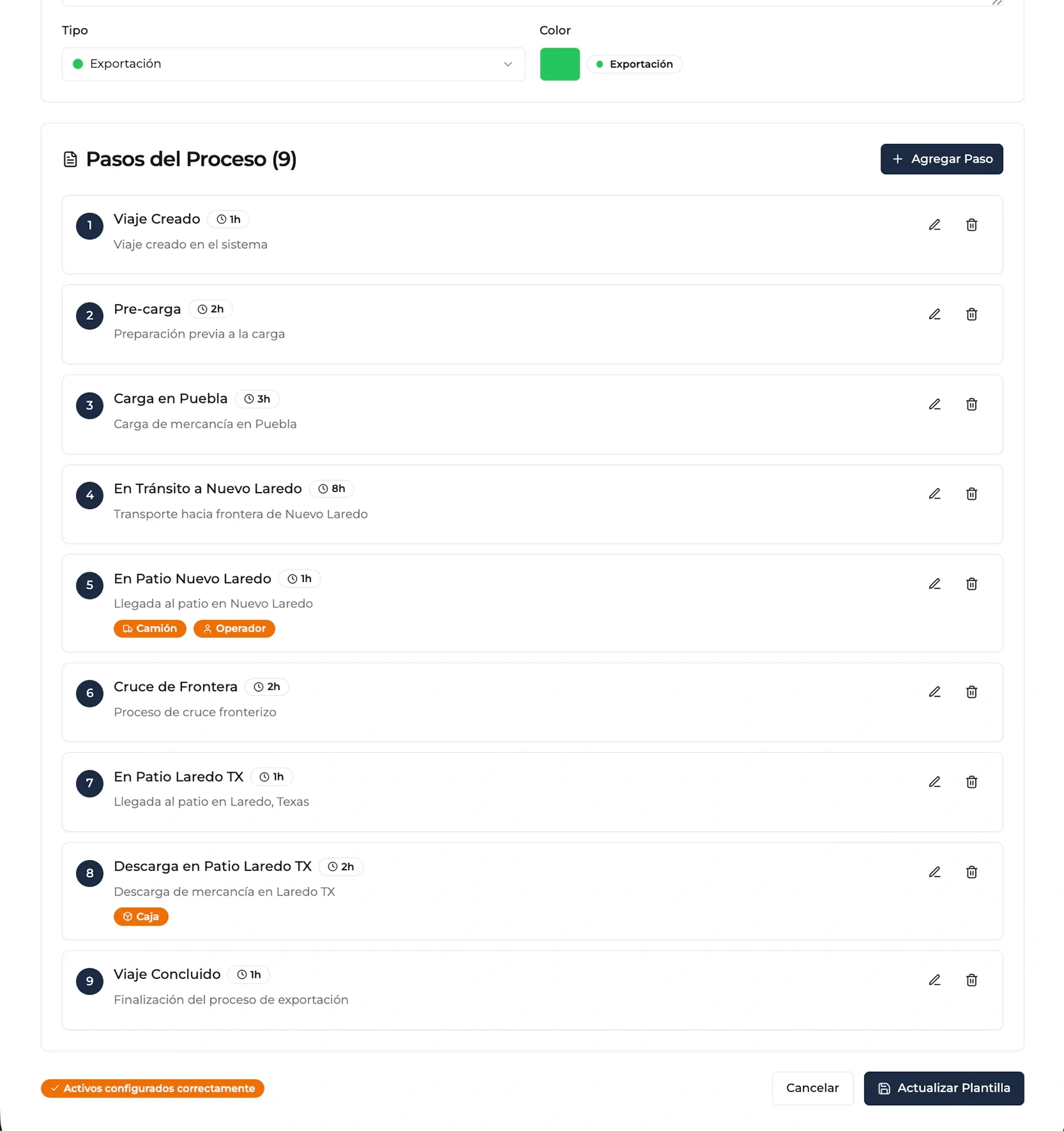
Not all viajes are identical, but they are structurally similar. The system allows template (step sequence) creation to organize the events each viaje type should follow. Viajes remain flexible, while still running standardized flows that support supervision and operational control. Templates can also include execution criteria per step, such as releasing an asset (truck or trailer) for reassignment.
Real-Time GPS Tracking
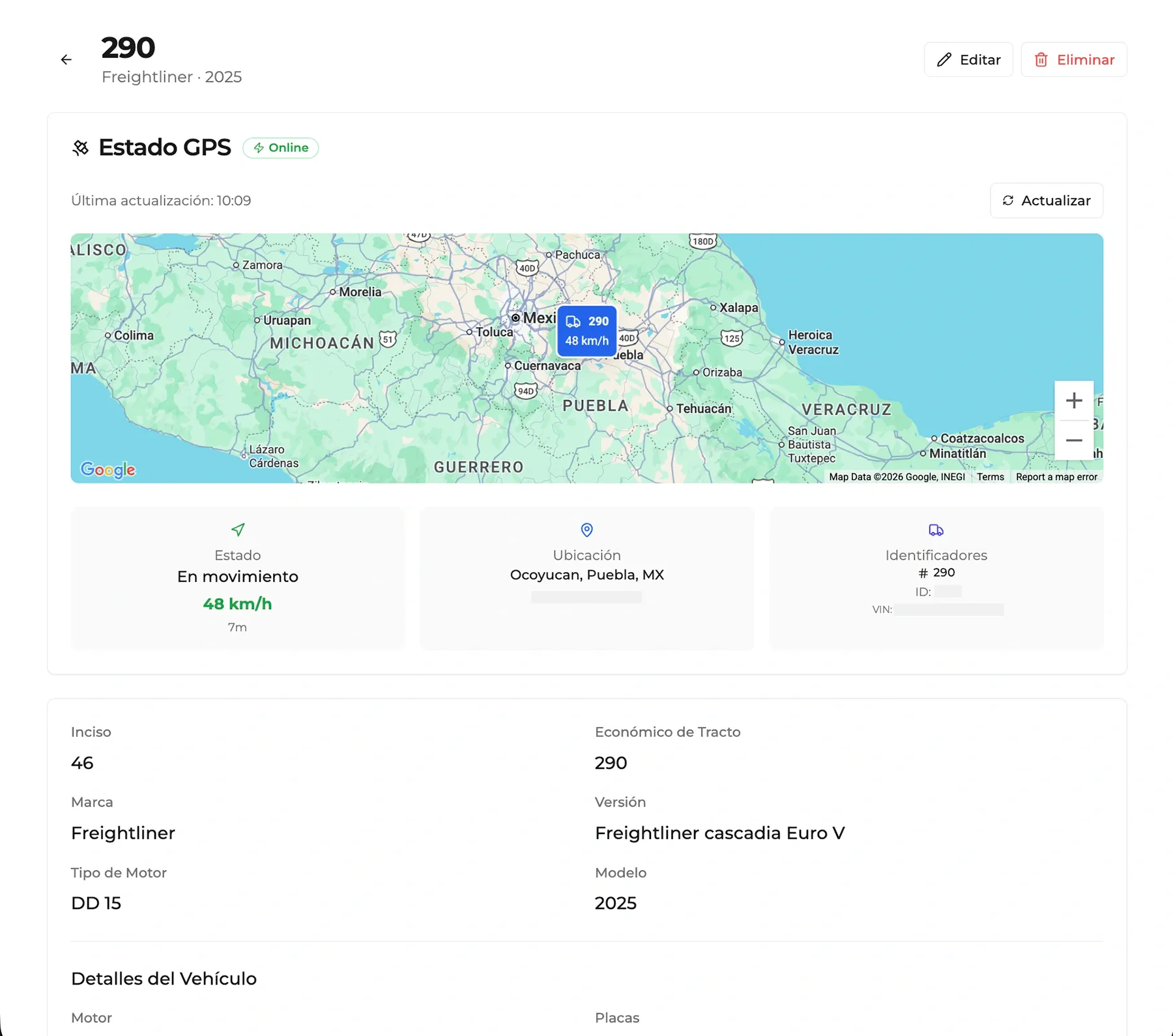
All fleet vehicles are equipped with GPS tracking devices for real-time monitoring. Location data appears both in viaje detail and truck detail views, providing operational context around assets. When a truck is assigned to an active viaje, location updates can be enabled to automatically generate logbook entries, creating a historical record of the route.
Fleet Management: Trucks and Trailers
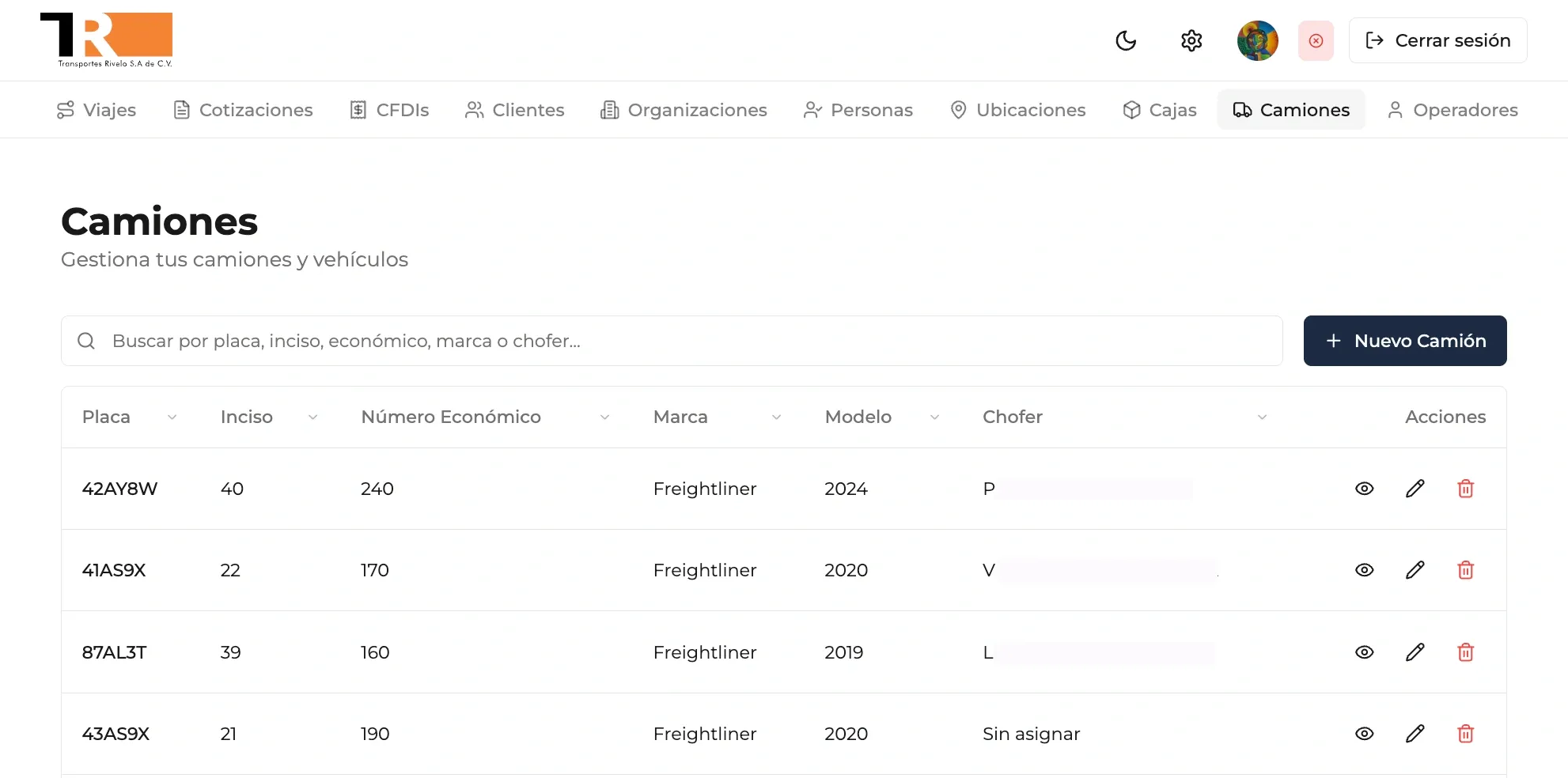
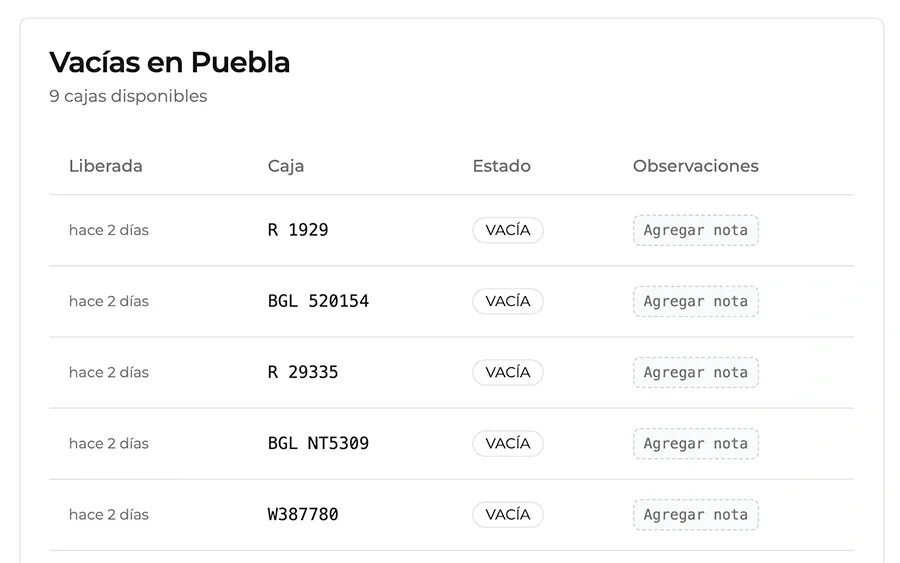
Keeping an updated inventory of available assets is essential for viaje assignment. The system includes catalogs for trucks, trailers, drivers, clients, locations, organizations, and contacts. All of these enrich viaje records and support integrated logistics management.
Quoting
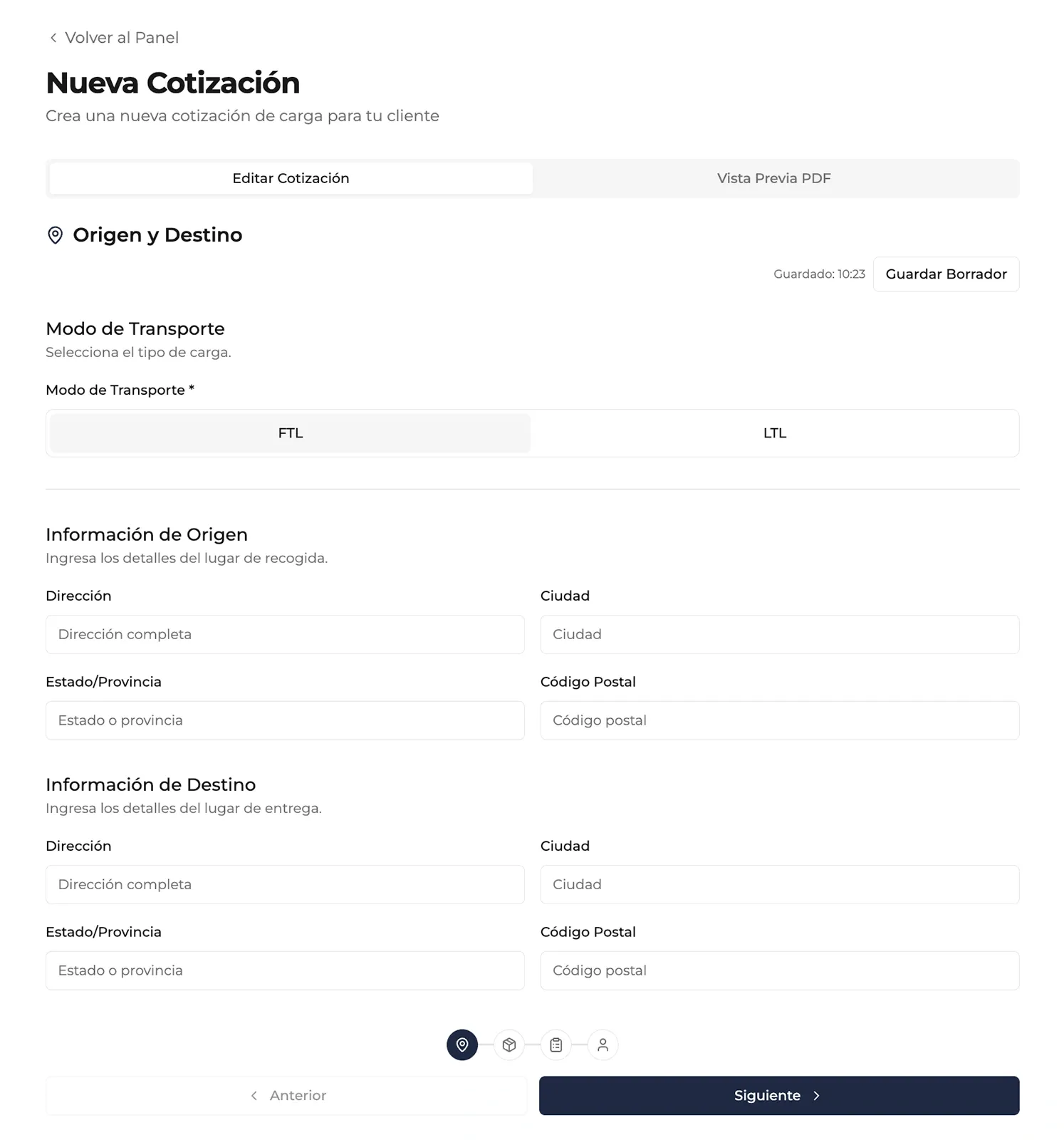
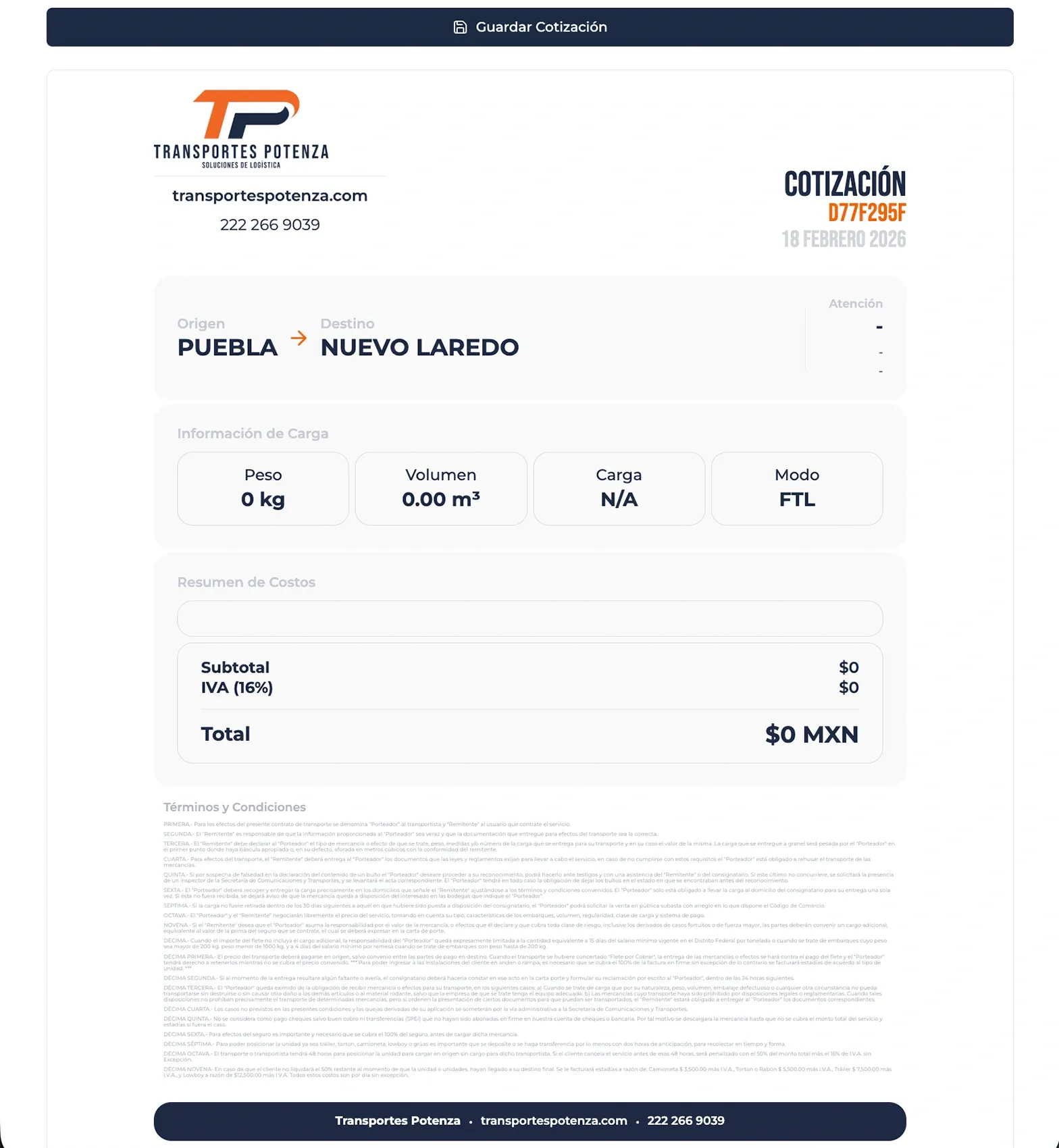
Viajes usually start with a commercial proposal created in the quoting module. Here, commercial teams input cost-relevant data including client information, origin, destination, load type, dimensions, weight, and other conditions. The system generates a quote that can be reviewed internally before being sent to the client.
User Management
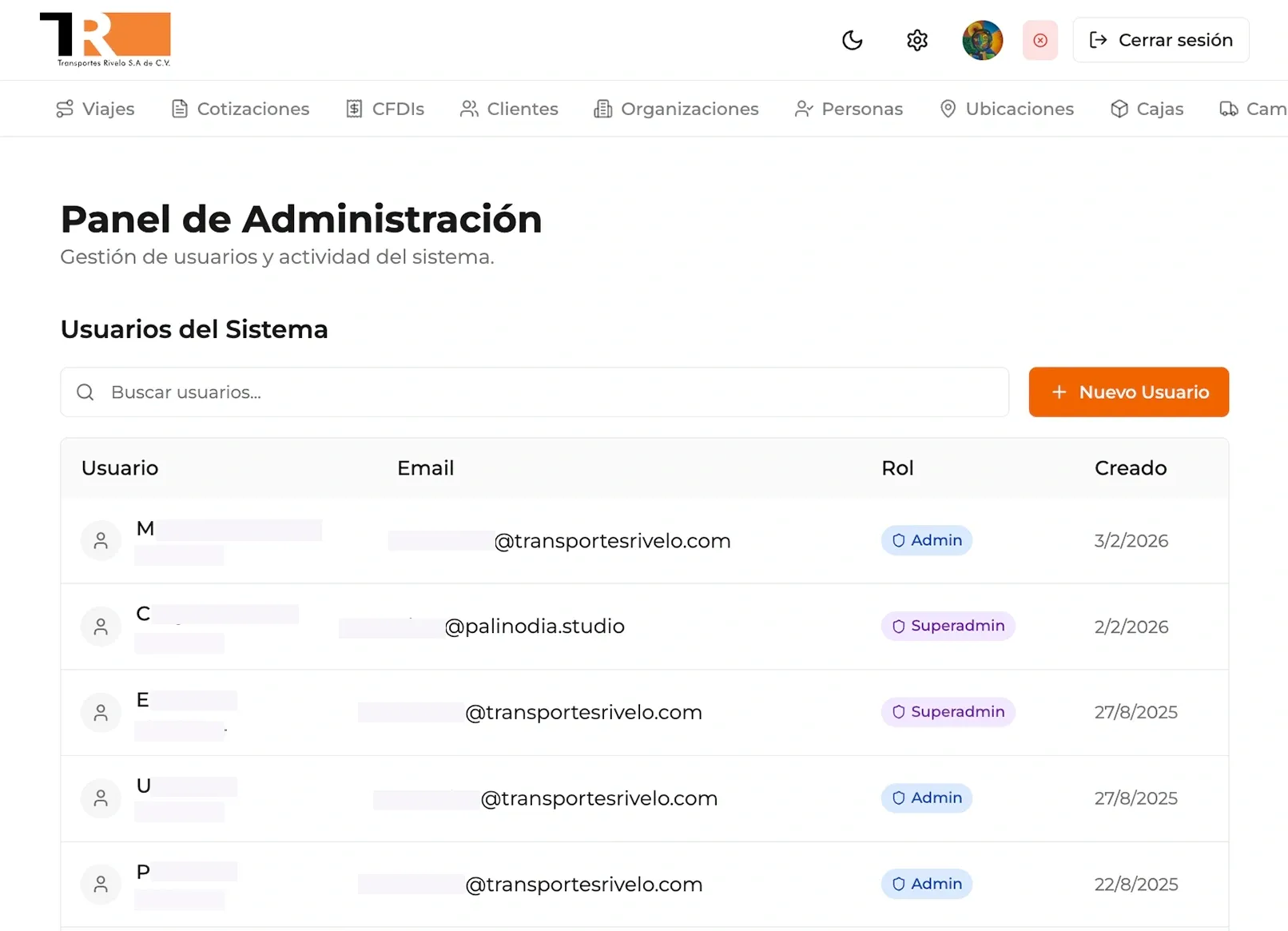
The application includes robust authentication and database security policies that ensure users can only access information relevant to their role. In the admin section, users with appropriate permissions can create and manage user accounts.
Responsive Design
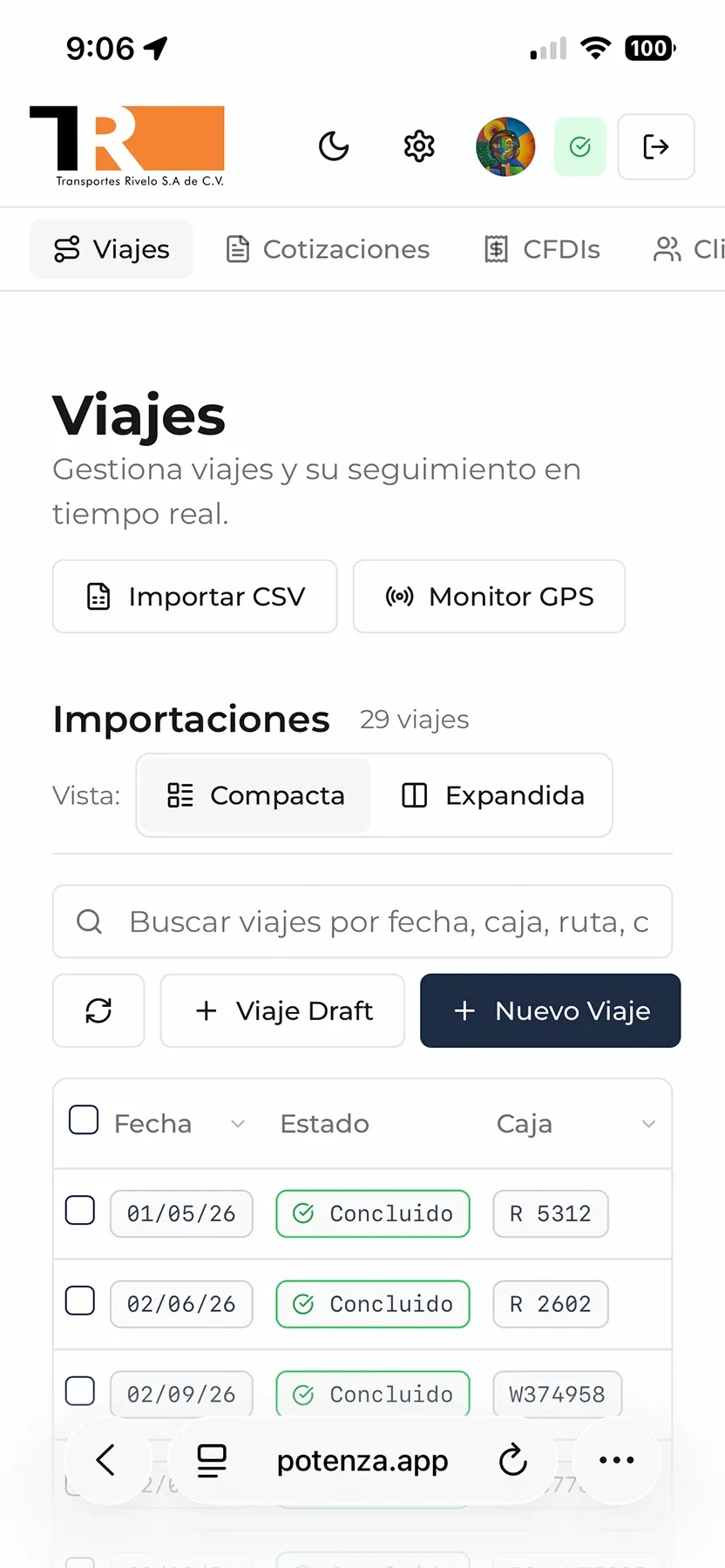
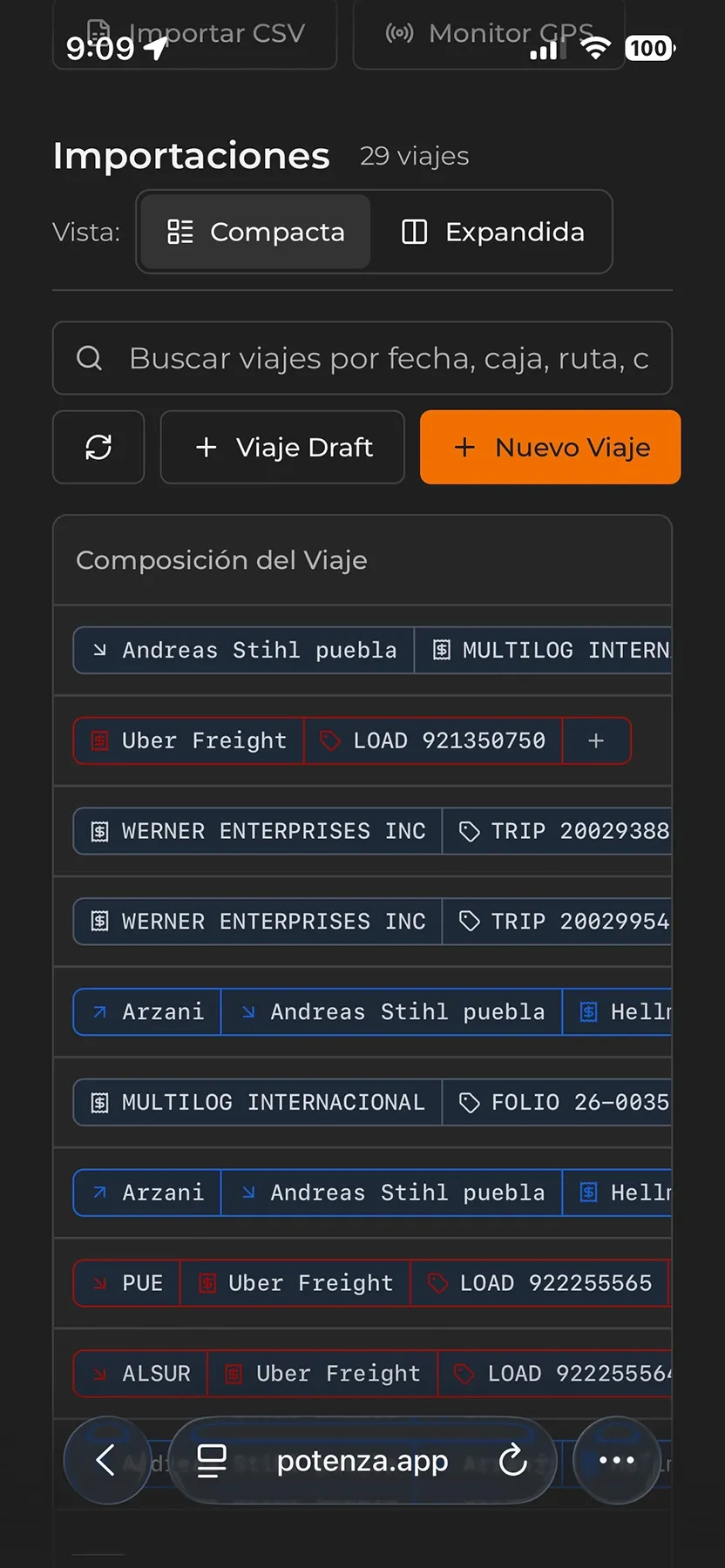
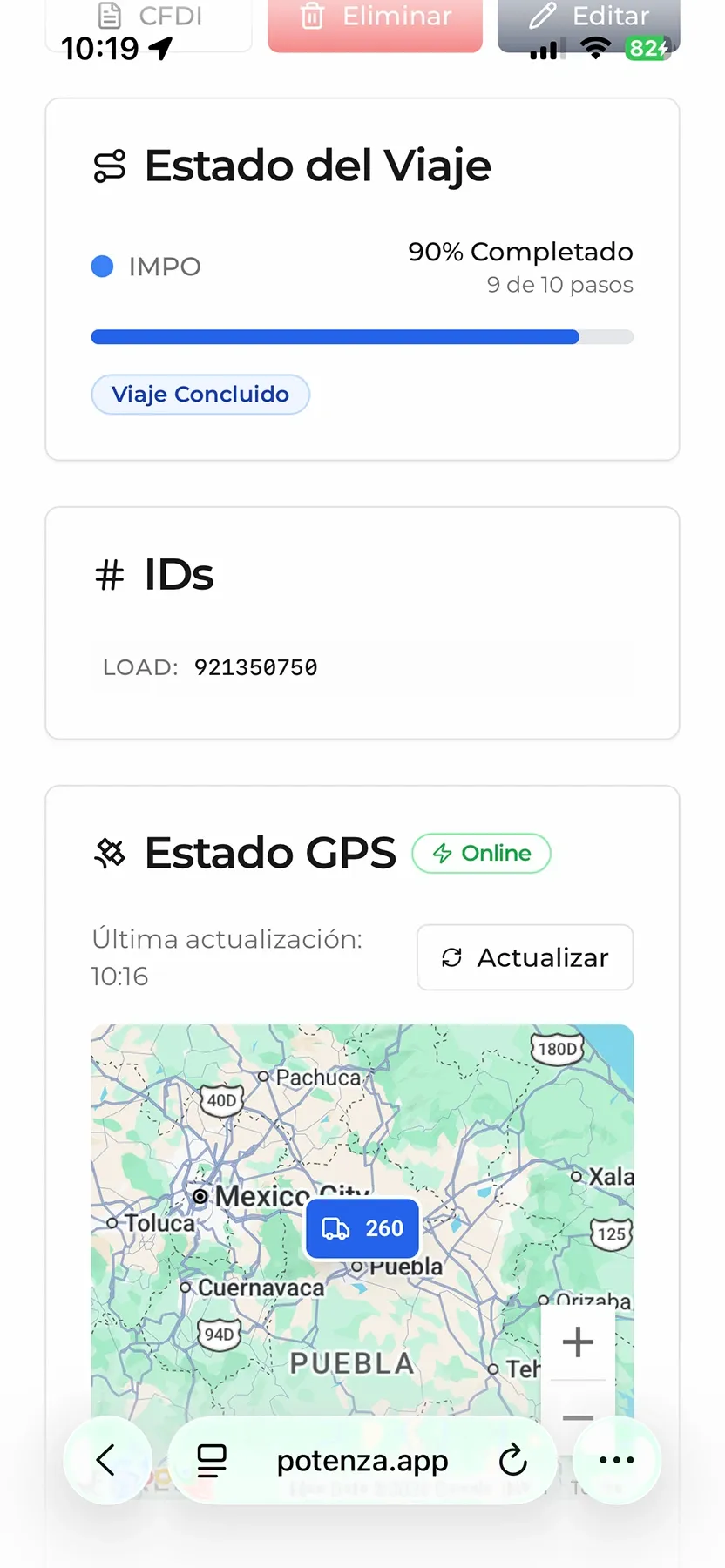
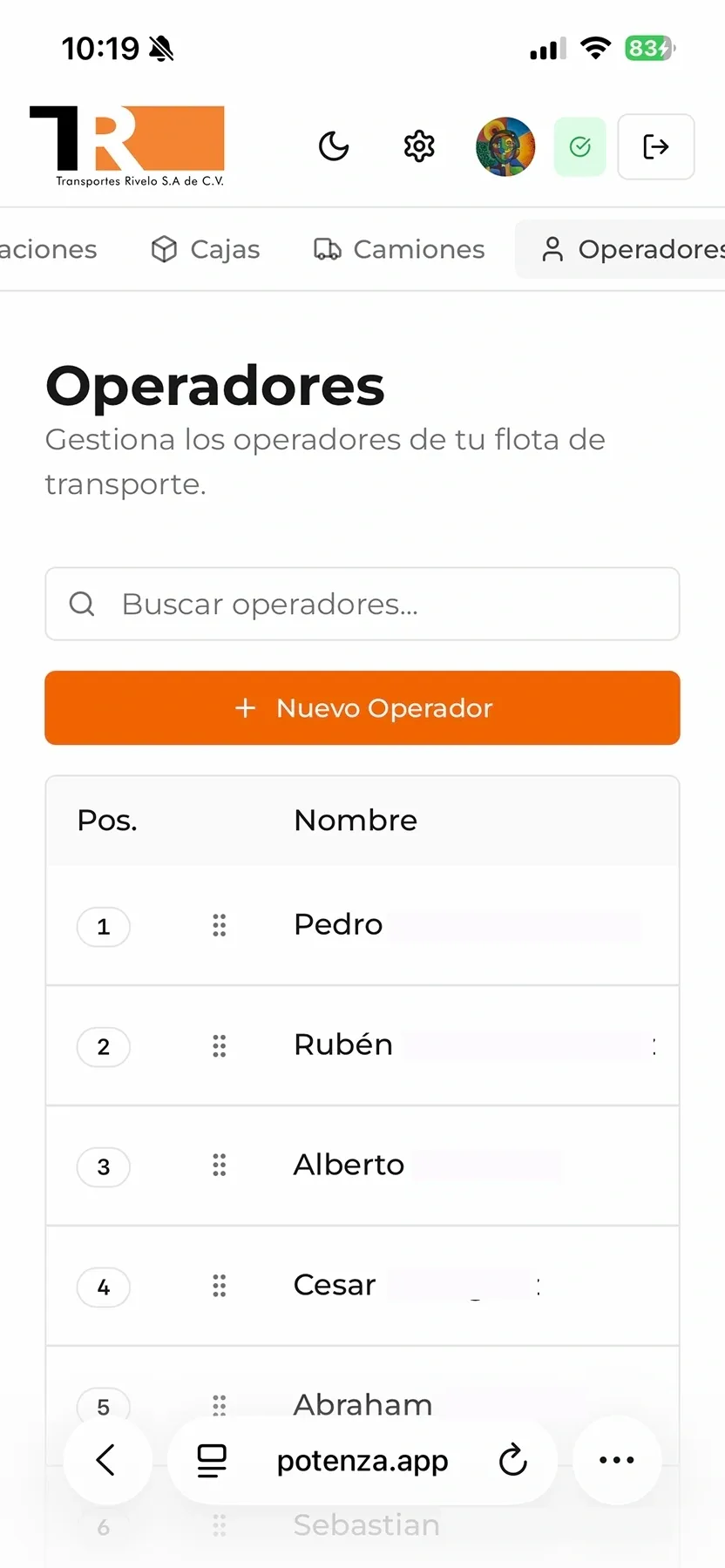
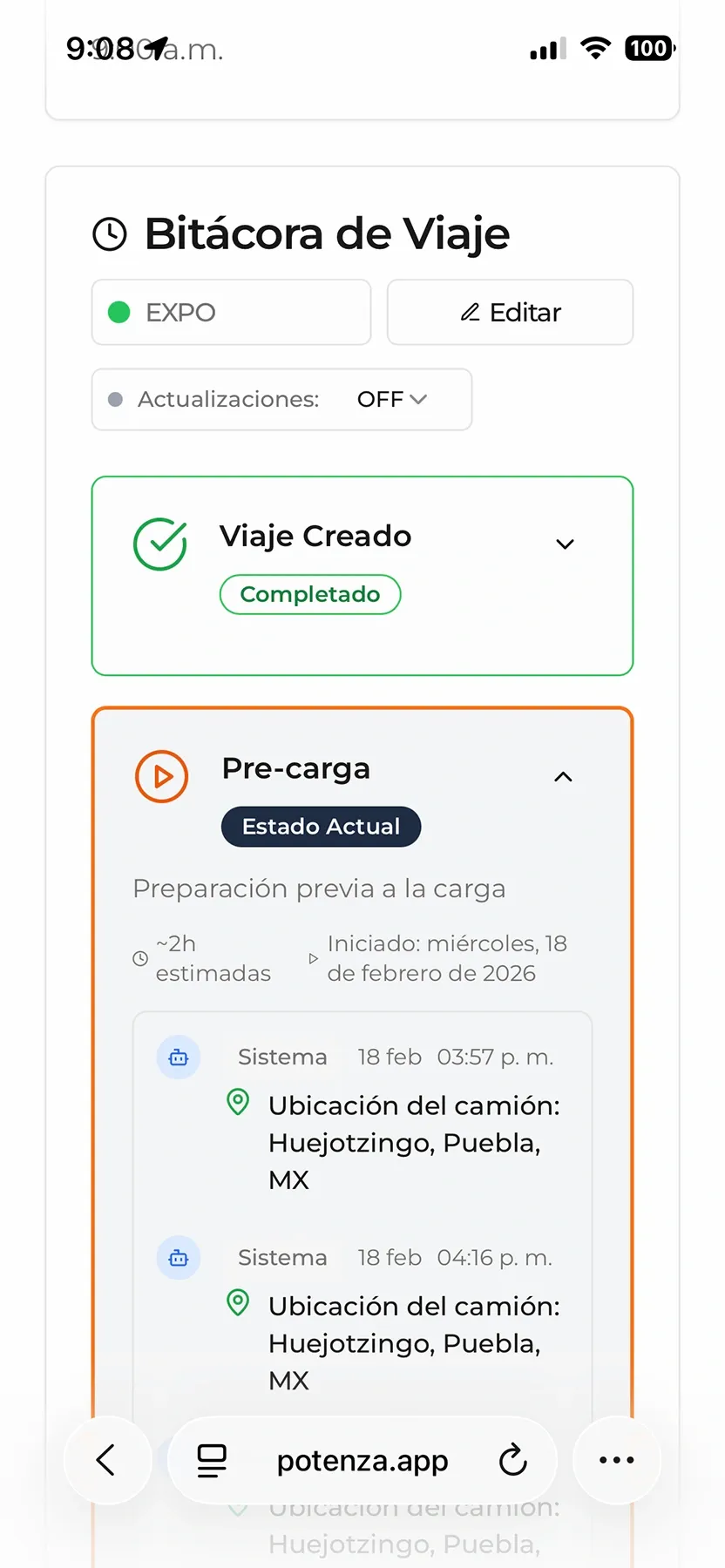
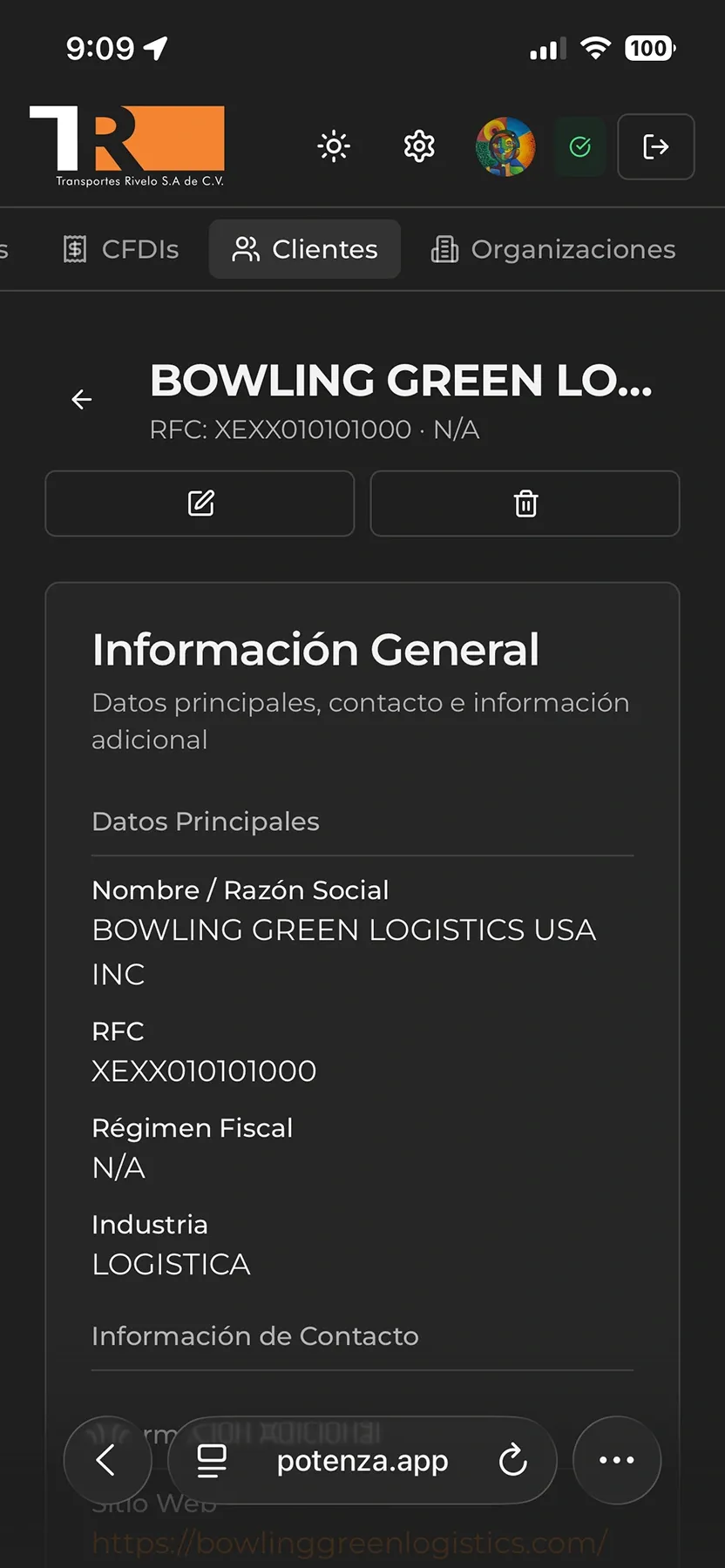
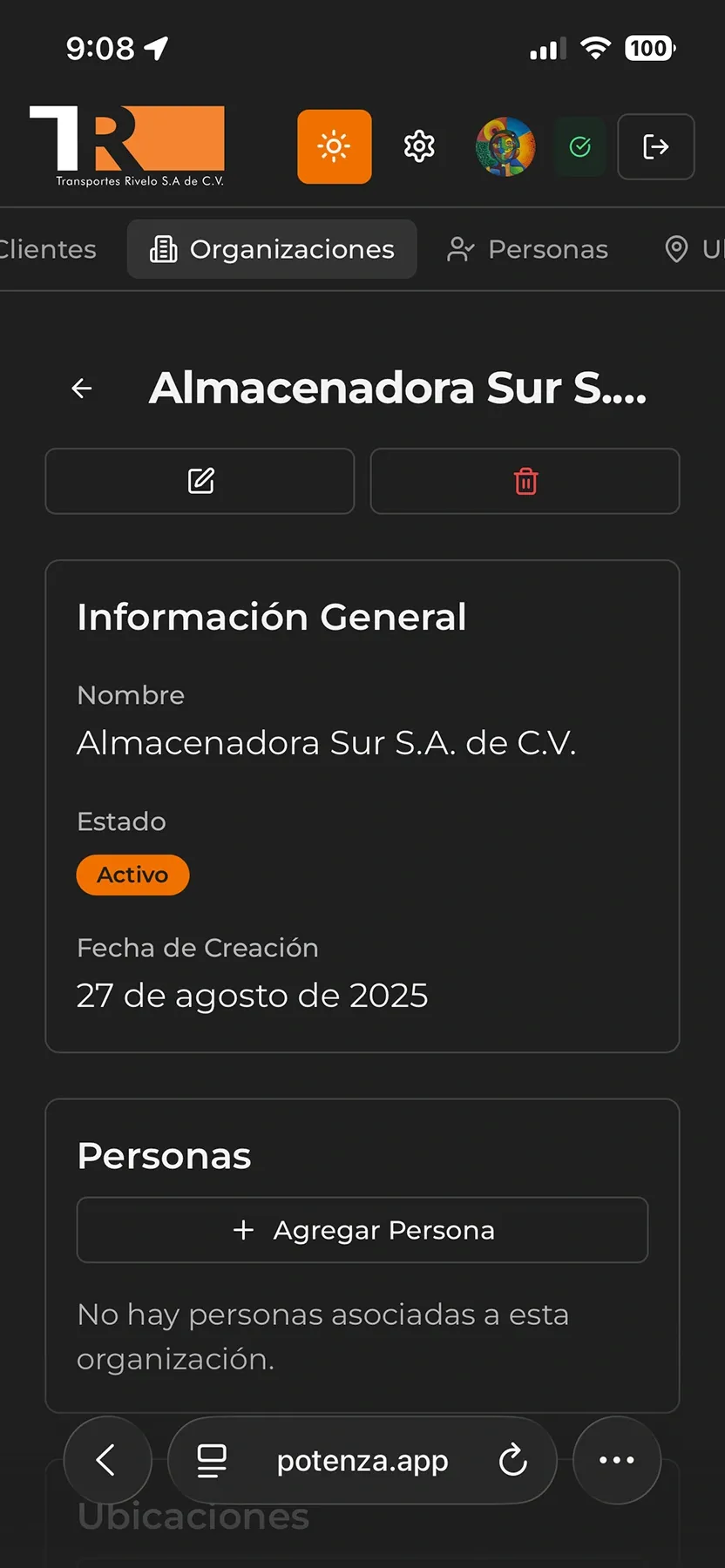
The application is fully responsive, allowing teams to access all modules from mobile devices.
Conclusion
Thank you for reading this walkthrough of Potenza, the ERP software we developed for Transportes Rivelo. We hope this case study illustrates the custom software capabilities we can contribute to your own projects. If you are considering a tailored operational platform for your business, feel free to contact us and discuss how we can help scale your operation.