A Custom Reservations System for a Restaurant Group
Introduction
La Luna Sul Mare is a Mediterranean restaurant with four locations in Mexico: Cholula, Val’Quirico, Boca del Río and Mérida. Until recently, its reservations depended on external subscription platforms: a separate account for each location, guest data scattered across different systems, and one location with no online booking at all. Each platform carried its own monthly cost and its own way of working, and none of them talked to the others.
In 2026 we began collaborating with them on a system of their own: a booking page built into their website, an internal panel for the staff of all four locations, and everything in between (notifications, emails, floor plans, a guest database). This case study walks through the main pieces and the decisions that shape them.
Every screen in this article uses sample data: guest names, phone numbers and emails are made up and do not belong to real people.
One premise guided the project: first replicate how the team already works (shifts, guest arrivals, tables) and only then extend. A host who already knows how to run a service should not have to learn a different way of doing it.
How the Pieces Fit
The system lives in two places. The public website (lalunasulmare.com) shows the booking page to guests. The internal panel (a separate application on a subdomain of the same restaurant) is where staff see and manage everything. Both talk to the same database, so a reservation made from a phone at midnight shows up on the host’s screen the next morning, already with a table assigned.
Everything runs on Cloudflare infrastructure, under the restaurant’s own account. There are no servers to maintain, no per-location subscriptions and no new vendors to depend on.
Booking Online
A reservation starts where the guest is already looking: the reservations section of the restaurant’s website. Instead of a button that sends them to an external platform, the guest picks a location and completes the booking in three steps without leaving the page.
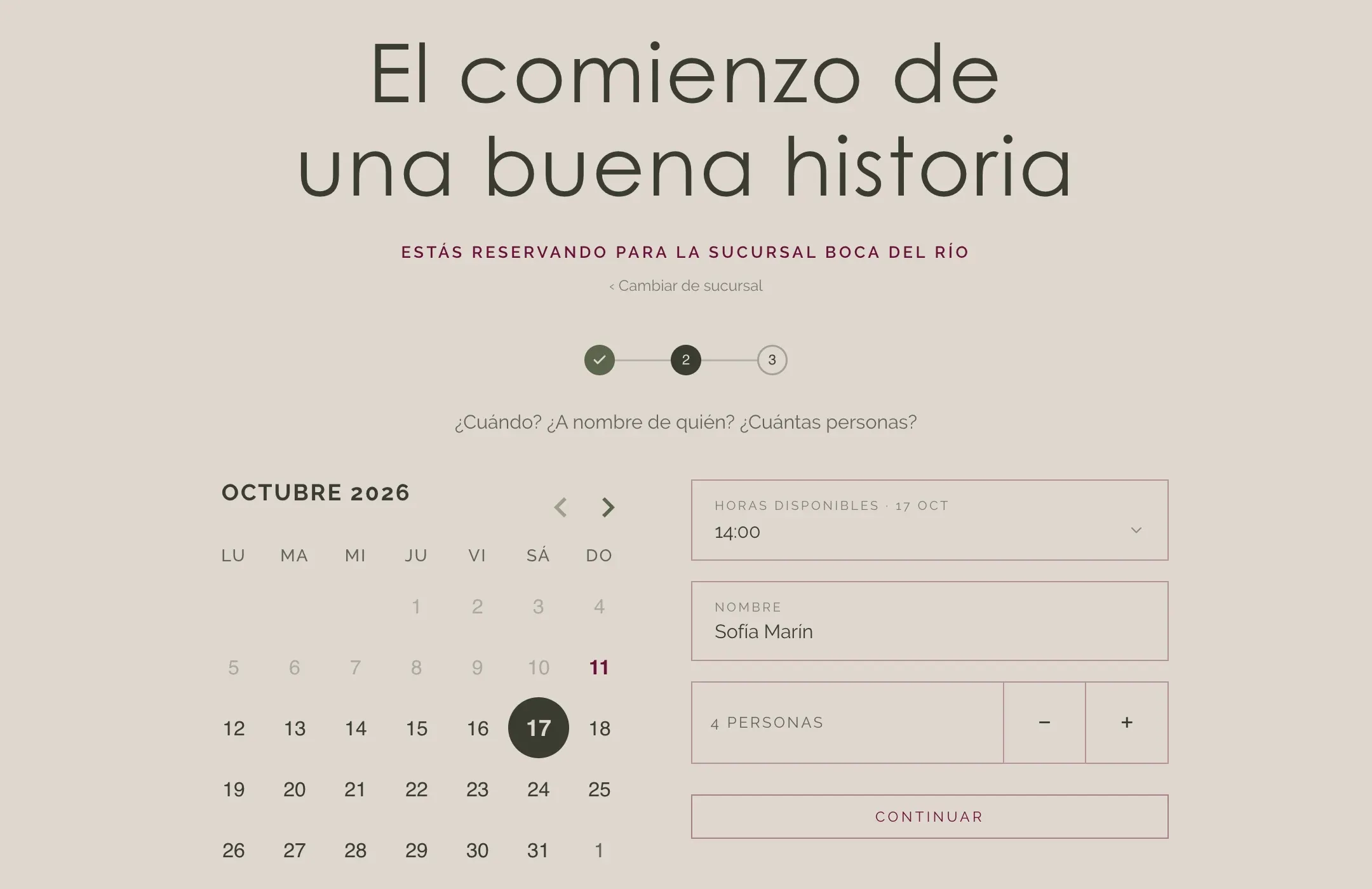
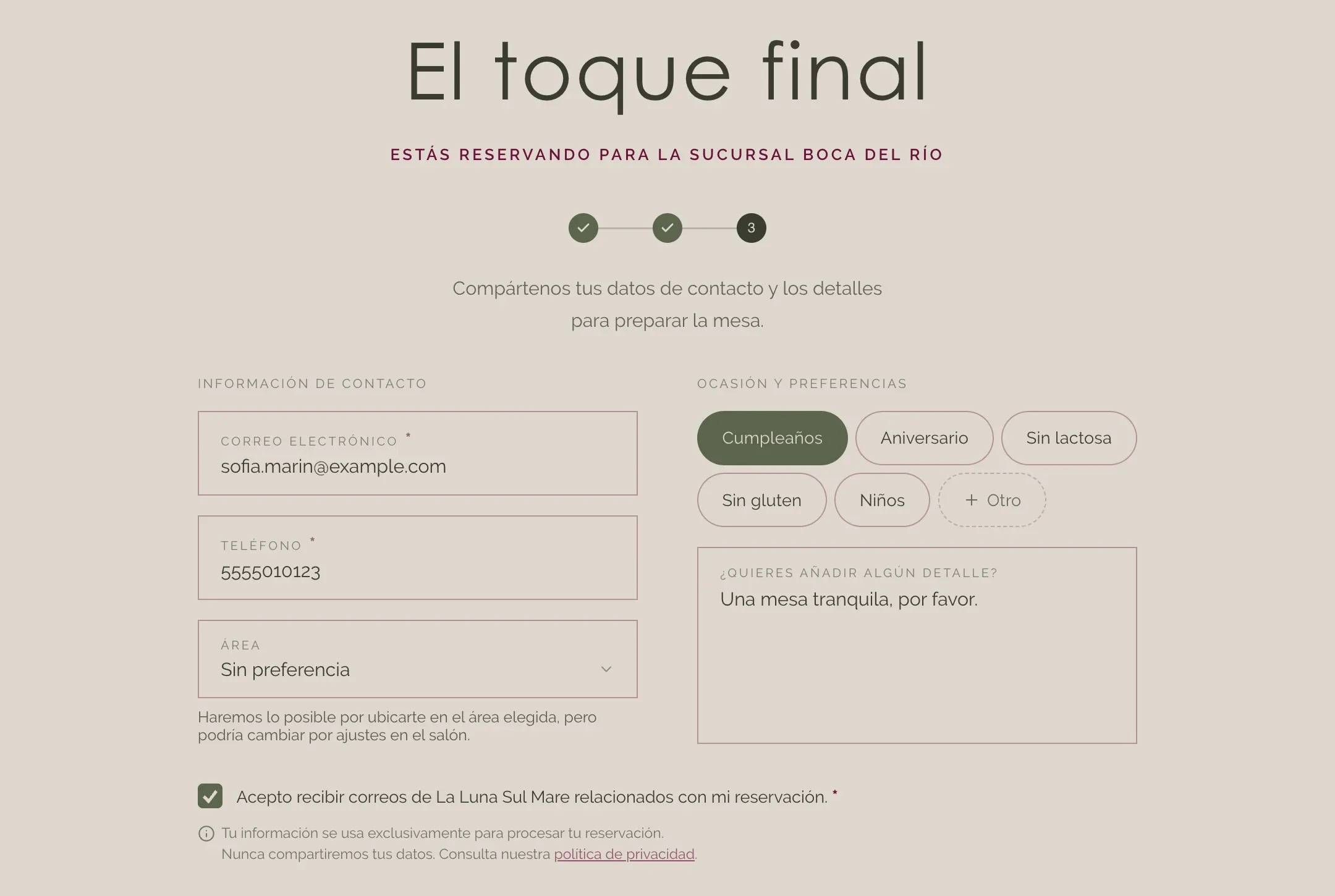
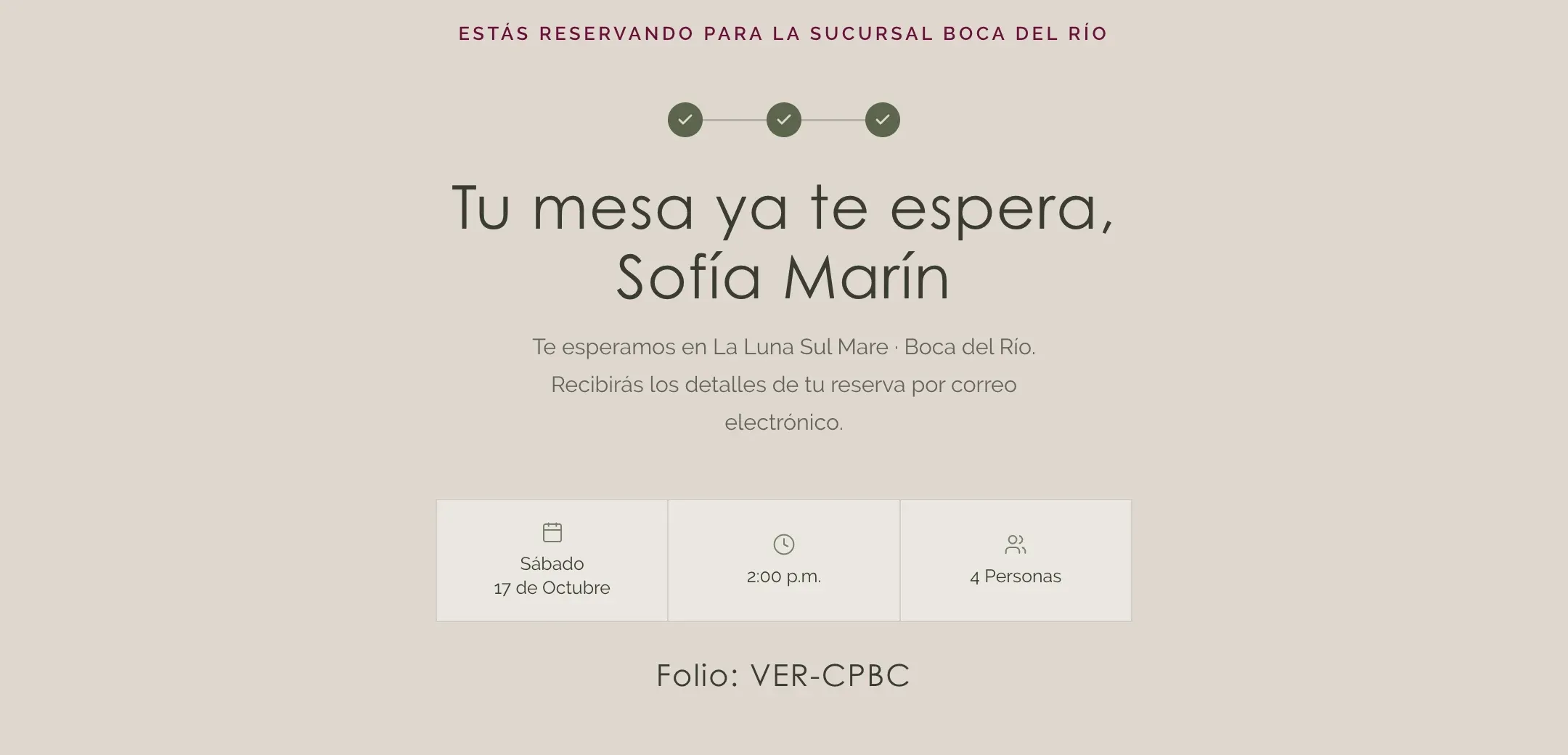
Behind that simple form are several decisions that matter:
- Guests never choose a table. When they book, the system holds one for them, using the same rules staff use: the party must fit, the table must be free for the whole service, and it must belong to a zone open to online booking. They can ask for an area (a terrace, say), and the system only promises it if a table is actually free there. If two people try to take the last spot at the same time, only one succeeds; the other gets the next best option or a clear message, never a double booking.
- Every reservation is born confirmed. There is no queue of reservations waiting to be validated: guests get certainty immediately, and staff do not have to chase confirmations.
- The site leaves room for walk-ins. When a time window approaches a certain occupancy level, the site stops offering it. The restaurant would rather underbook than promise what it cannot deliver.
- Limits and abuse protection. There is a maximum party size for online booking (larger groups are asked to call), a configurable booking window, and bot verification before a reservation is created.
The Email and the “My Reservation” Page
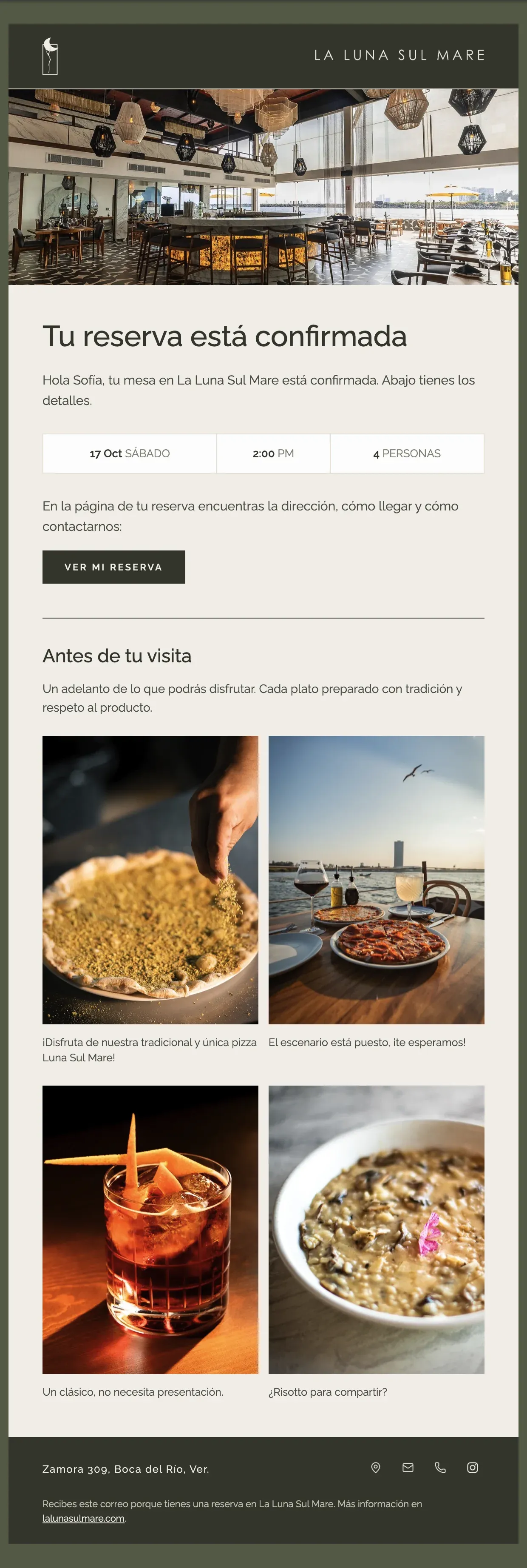
When the guest finishes, they receive a confirmation email with the details and a link to their reservation.
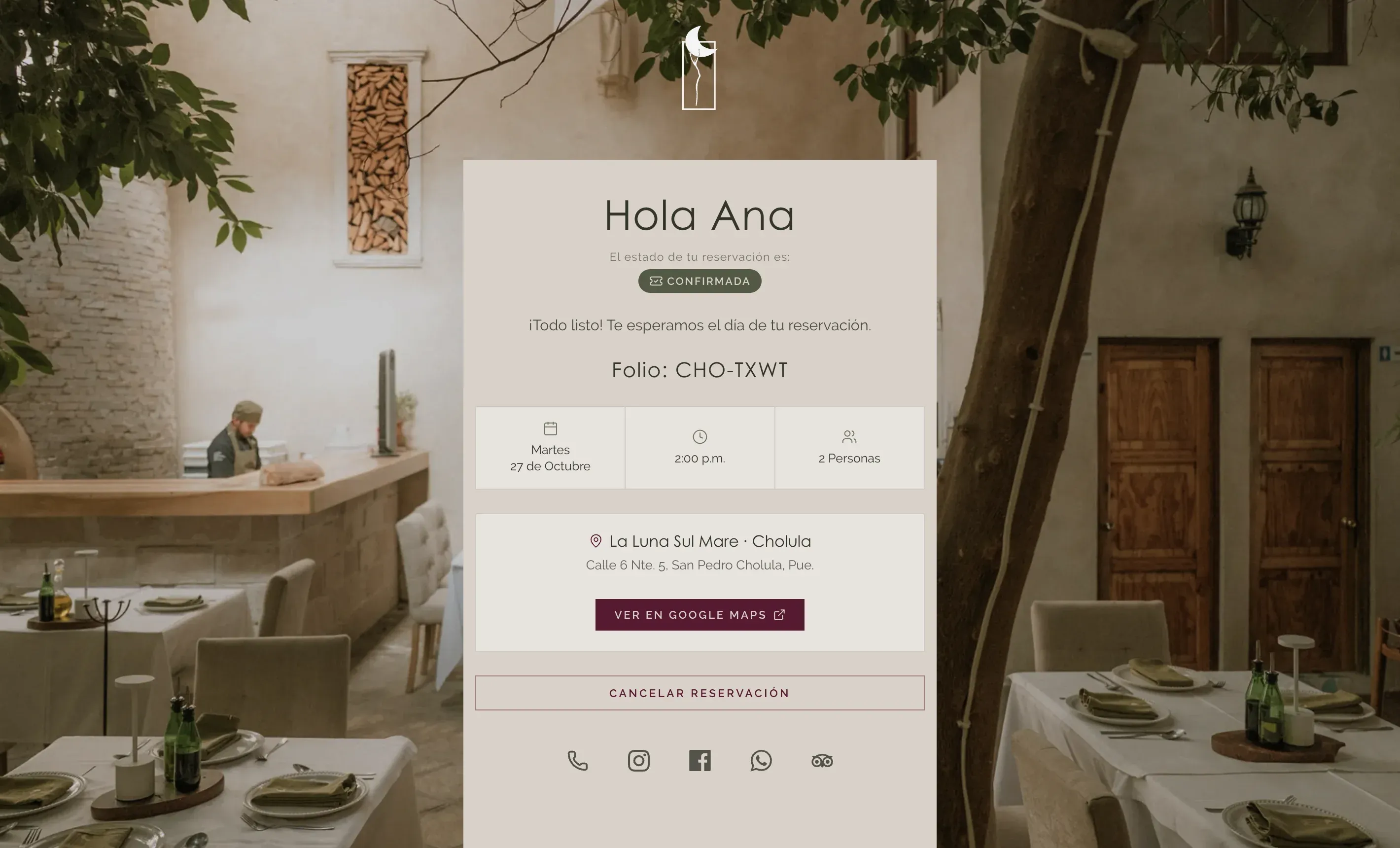
That link leads to a page where the guest can review their reservation, see how to get to the location and, if plans change, cancel it themselves. When they cancel, the table is freed immediately and staff are notified.
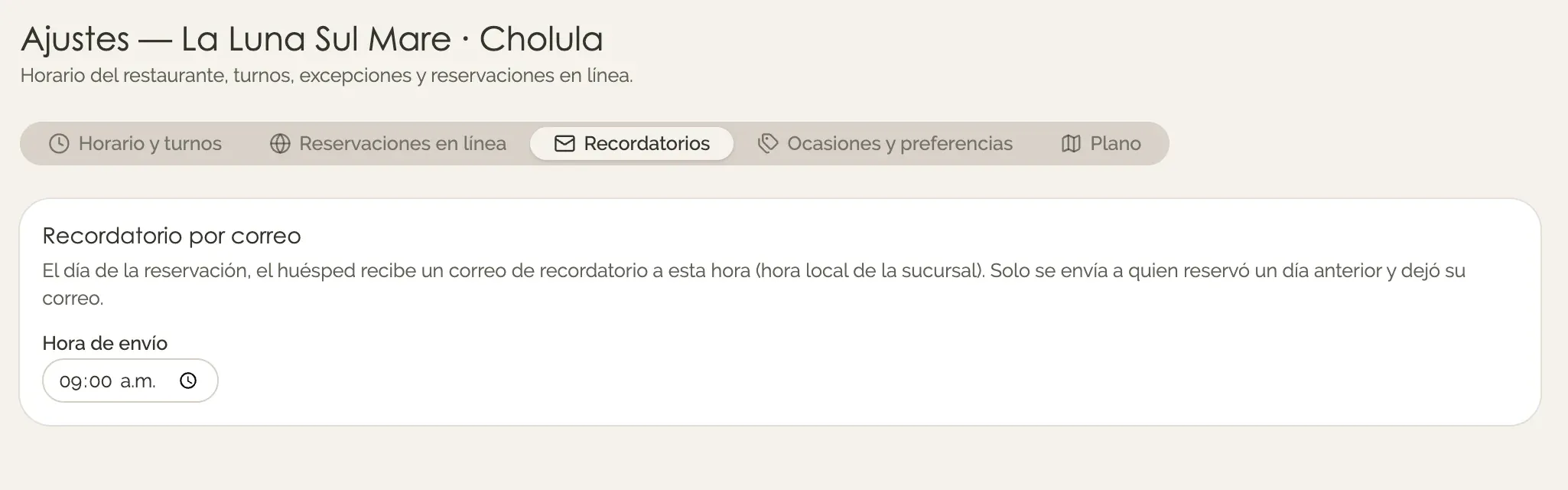
On the morning of the reservation, if it was made a day or more in advance, the guest also gets a short reminder email. It goes out on its own, at a time each location sets.
The Internal Panel: The Day View
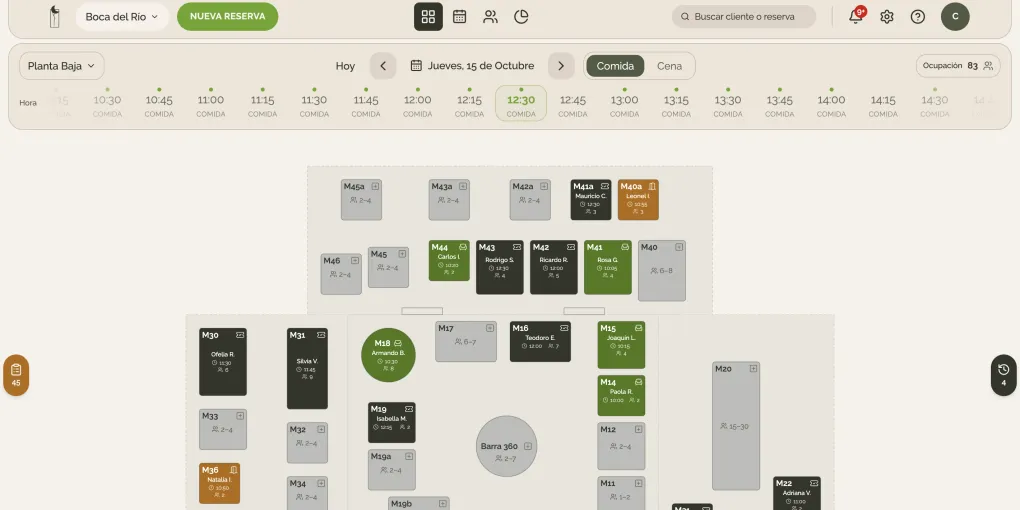
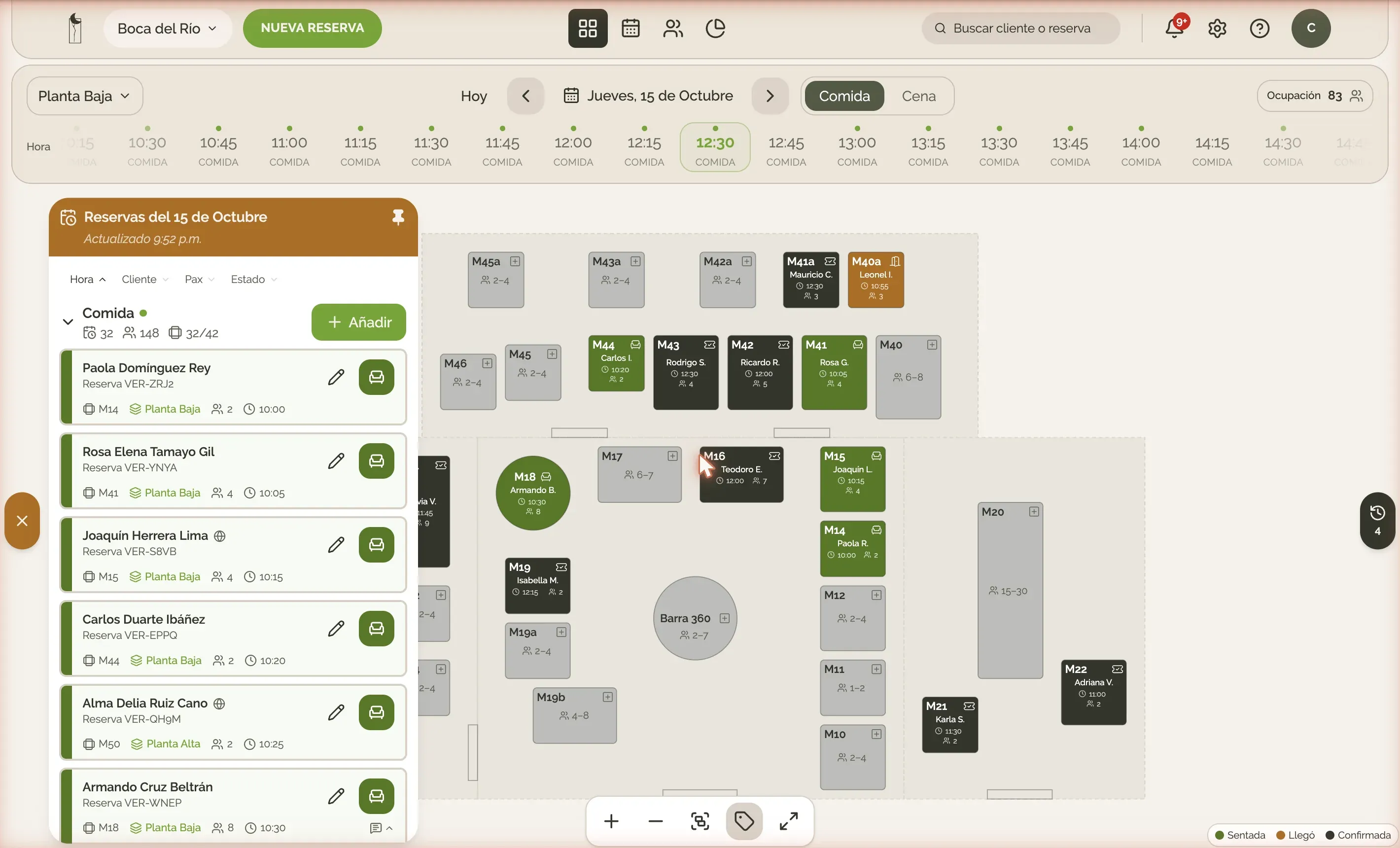
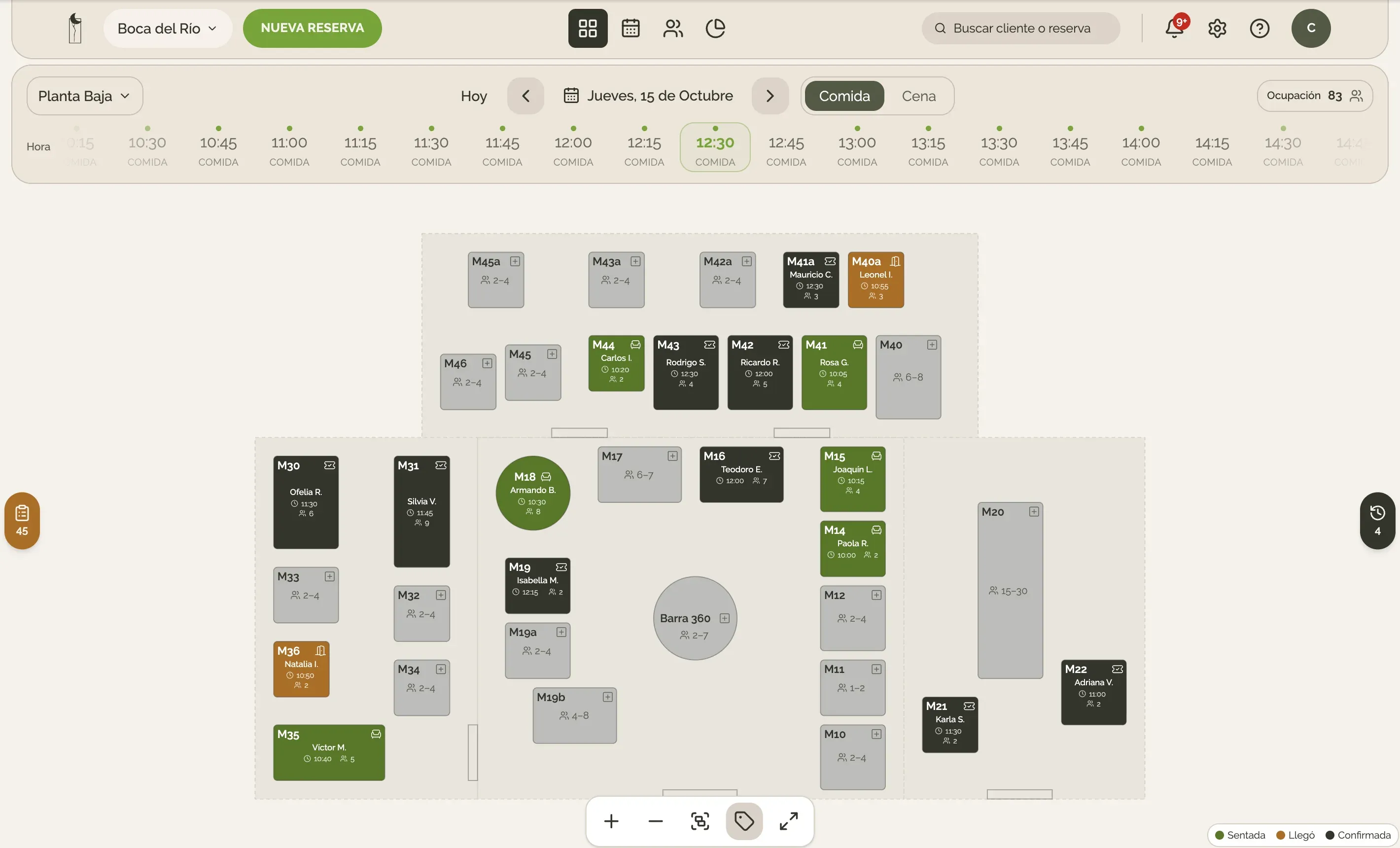
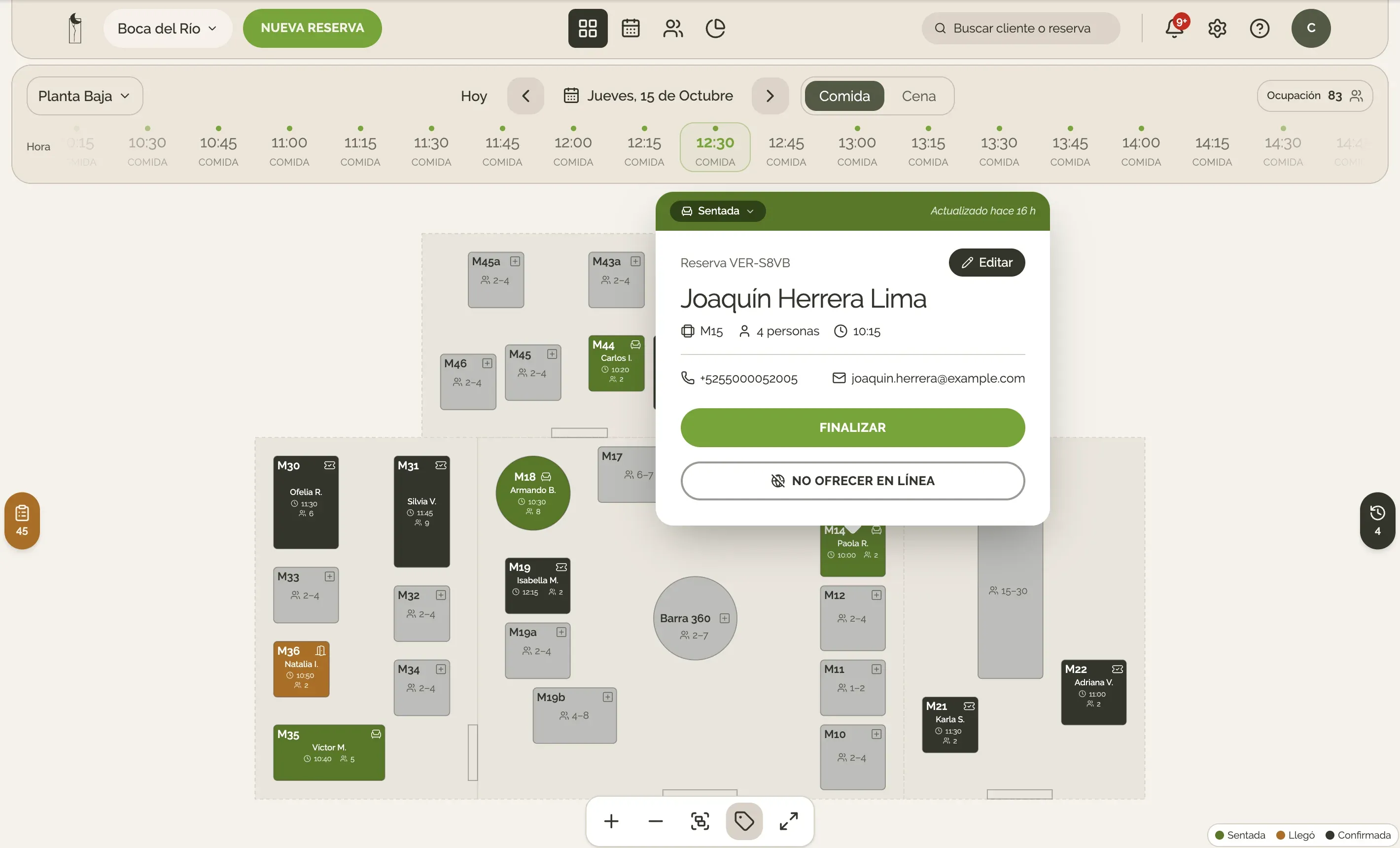
On the staff side, the main screen is the day view. It is the one a host keeps open throughout service: on the left, the list of reservations with filters and search; on the right, the floor plan with each table colored by its state at the selected time.
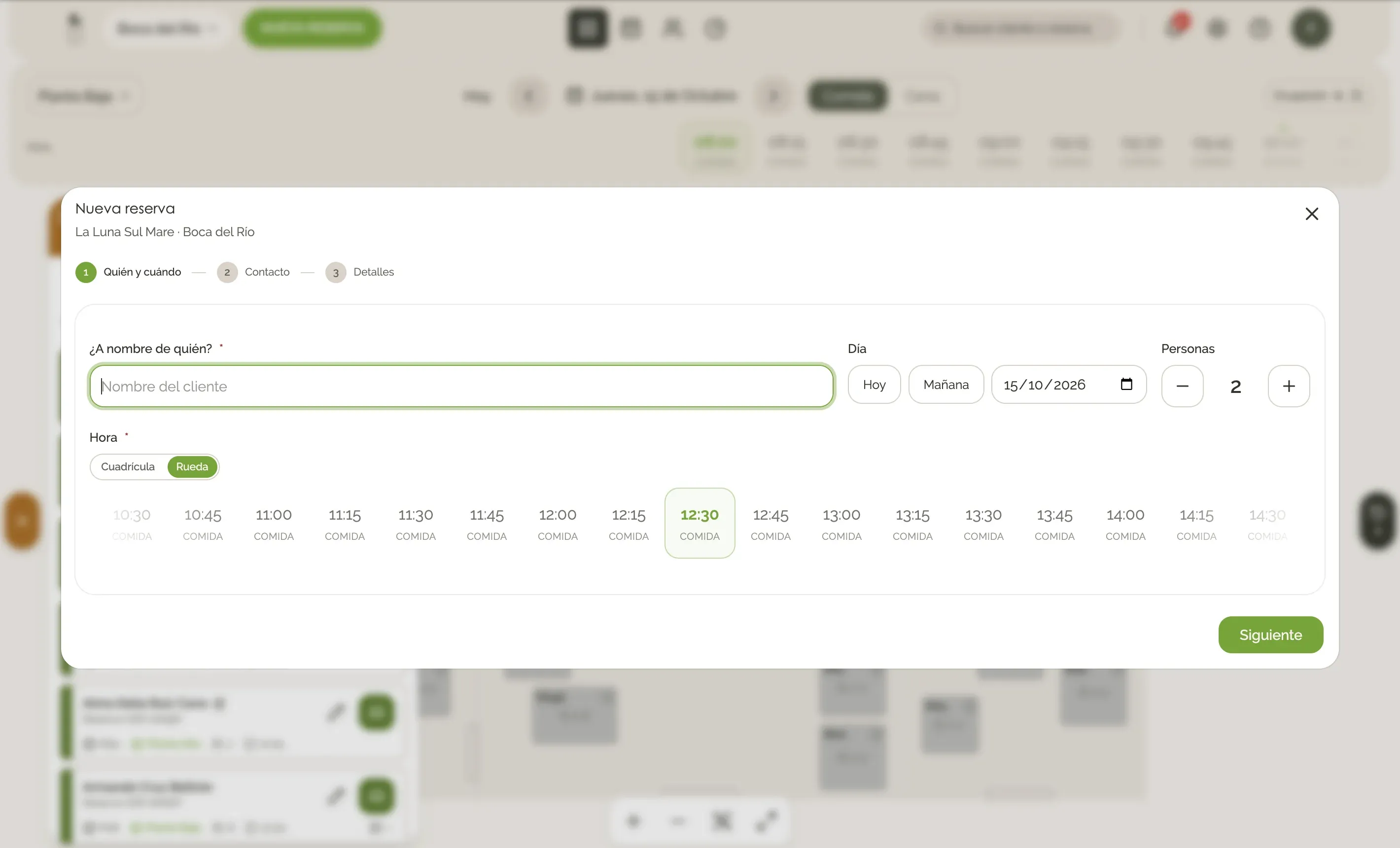
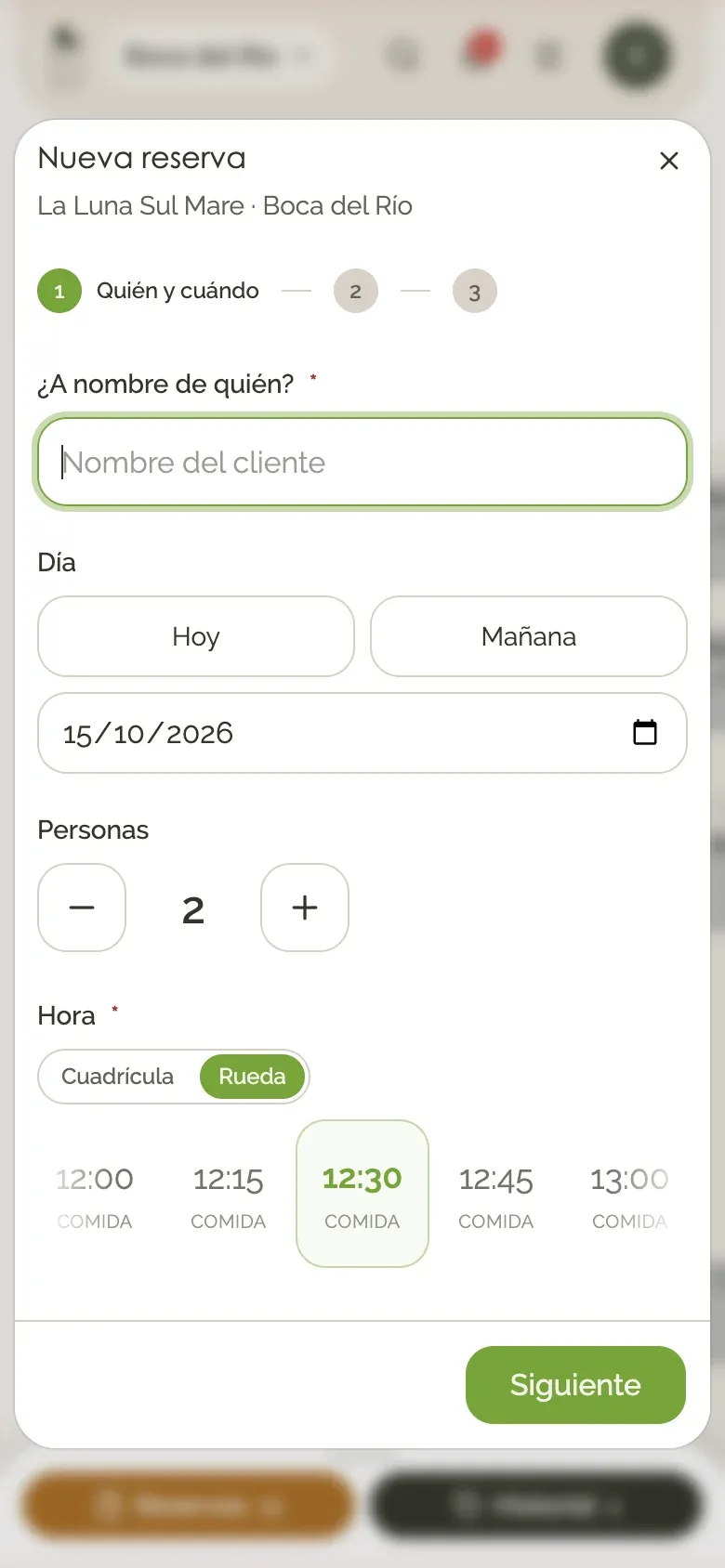
Reservations can also be created from the panel, for guests who call or are standing at the door. The form follows the same mental order as a phone call: who, when, how many; then contact details and, last, the extras. If the phone number already exists, the system recognizes the guest and shows their history and preferences.
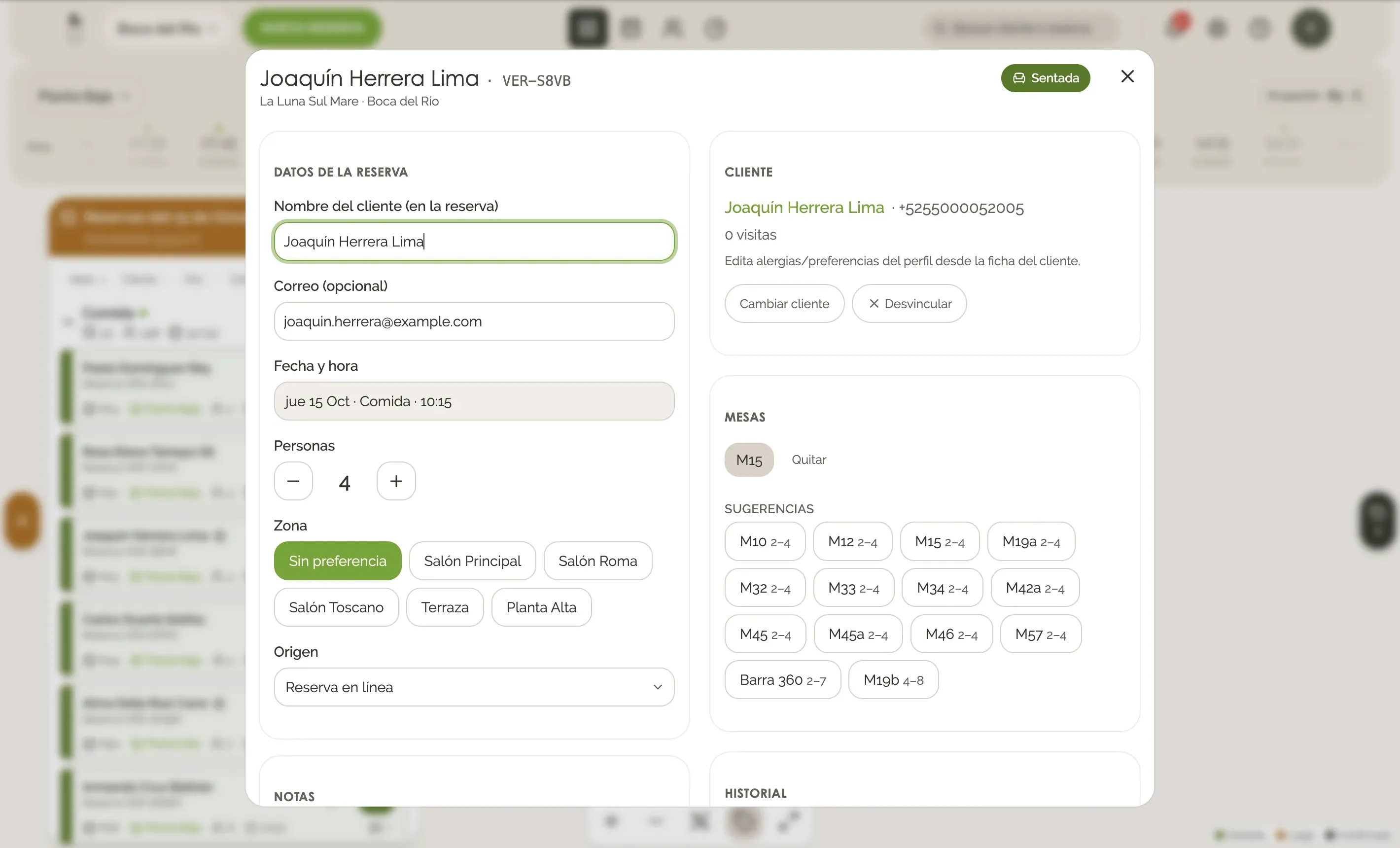
Every reservation has its own detail view, with all fields editable, the assigned tables (with suggestions), the linked guest and a history that records who made each change and when.
A Reservation’s Lifecycle
A reservation moves through clear states that mirror what happens on the floor:
Confirmed → Arrived → Seated → Completed
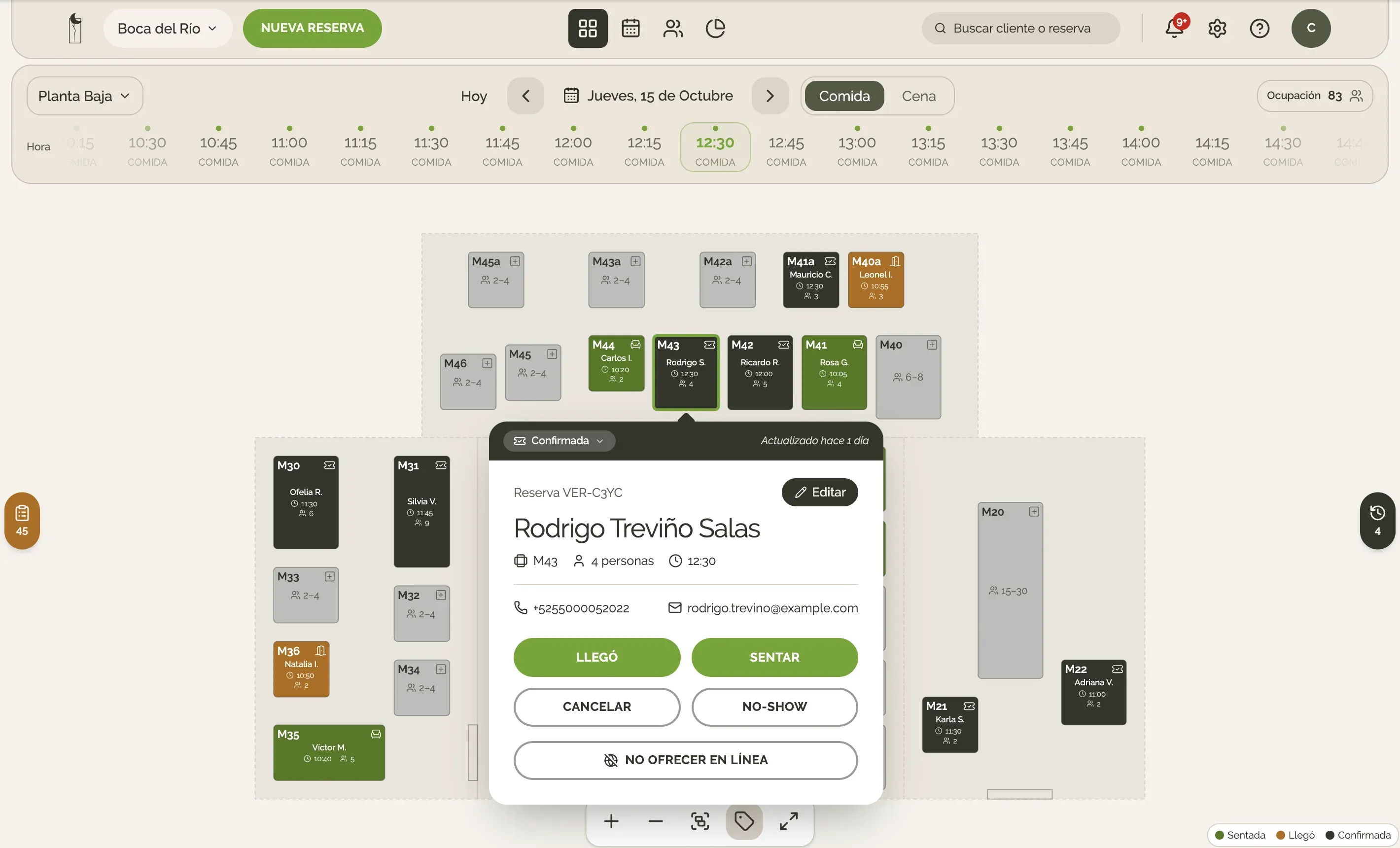
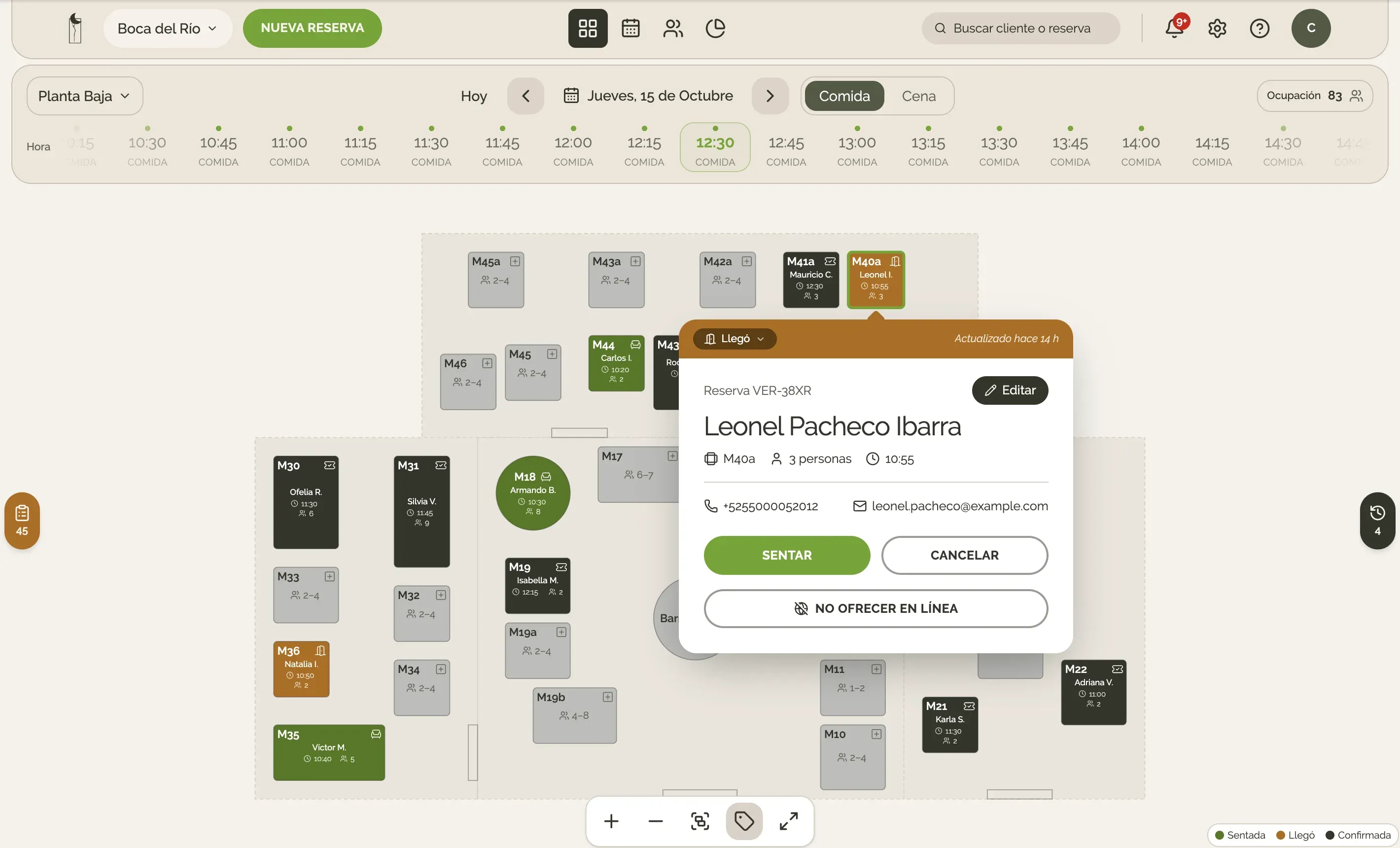
with two exits, Cancelled and No-show, and a waitlist for guests who do not have a spot yet. The system only offers the next step that makes sense: you cannot seat someone who has not arrived, or complete someone who was never seated. These rules live in a single place in the system, so they hold no matter where the change is made from.
Changing state takes a single tap on the table. A menu opens anchored to it, and the large button is always the natural next step.
Guests without a reservation (walk-ins) are covered too: with a free table at the current moment, the host enters the party size and seats them with one tap, with no name or phone required. And when a party needs to move, the host can drag its card from the list onto a free table; if the party does not fit or would replace another table, the system warns before doing it.
Notifications for Staff
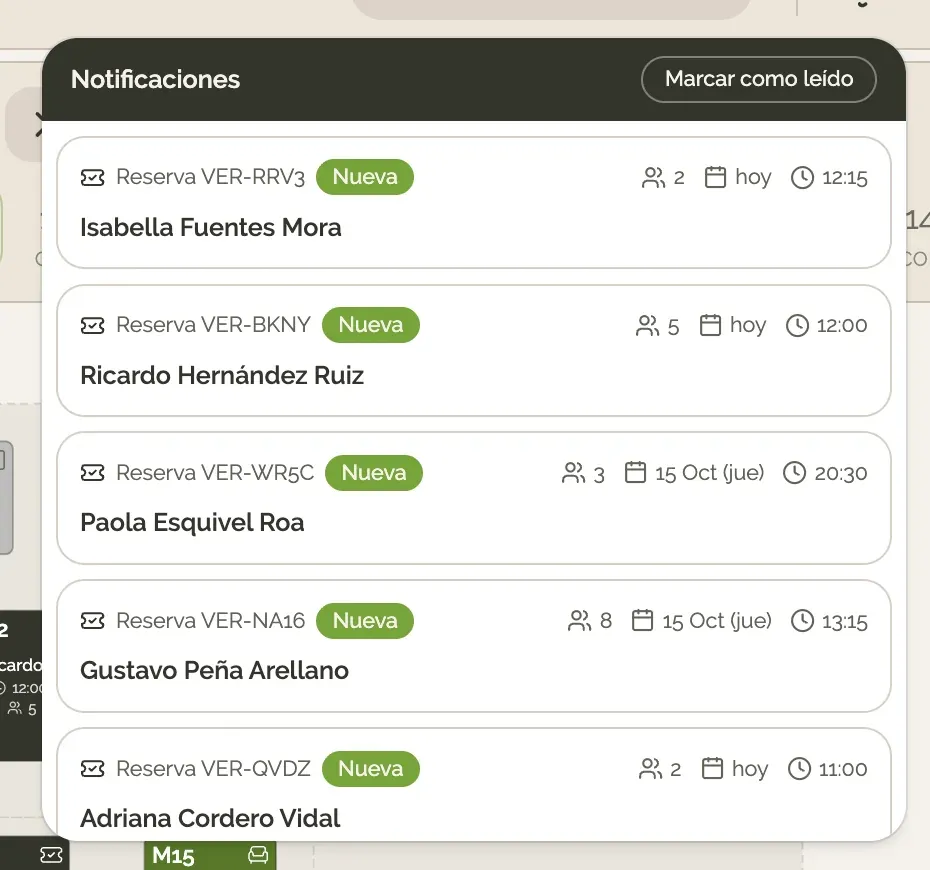
When a reservation arrives from the website, the staff on shift do not need to keep checking: a bell in the top bar marks news with a red dot.
The time at which each location sends its reminder emails is set from Settings.
Tables and Combinations
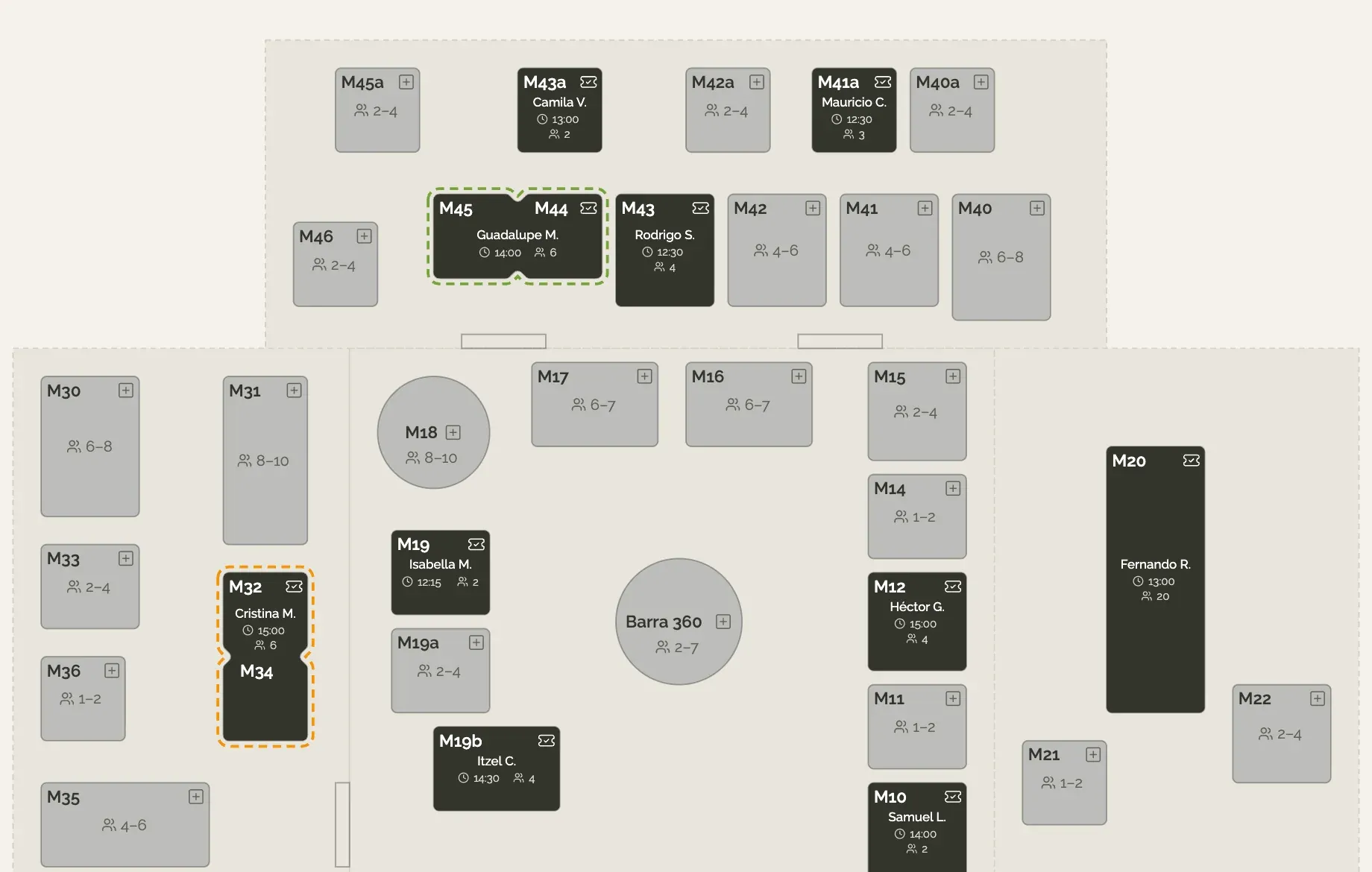
Real restaurants push tables together. The system models this with combinations: groups of adjacent tables that can be offered as one for larger parties. Combinations are saved in advance, and the system never invents one on the fly for an online guest. On the plan, combined tables holding the same reservation are drawn as a single shape, set apart by a dashed outline.
Manager Controls
No two days are alike. A private event, a power outage or a night when the room is full all call for a way to close the digital door without touching the phone. The system offers two controls with different scope:
- Pause the whole location with a switch on the day view. While paused, the website offers no times at all; staff keep taking phone reservations and seating walk-ins as usual.
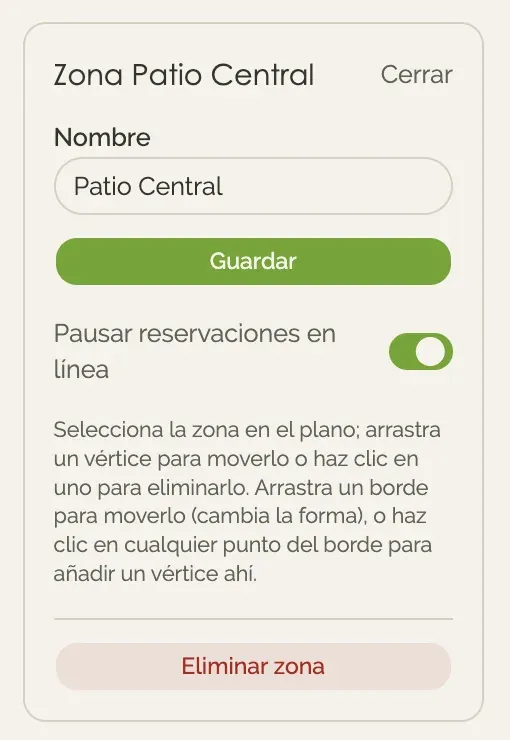
- Pause a single zone (a terrace, for example) from the plan, so the site does not offer it while the rest of the restaurant stays open.
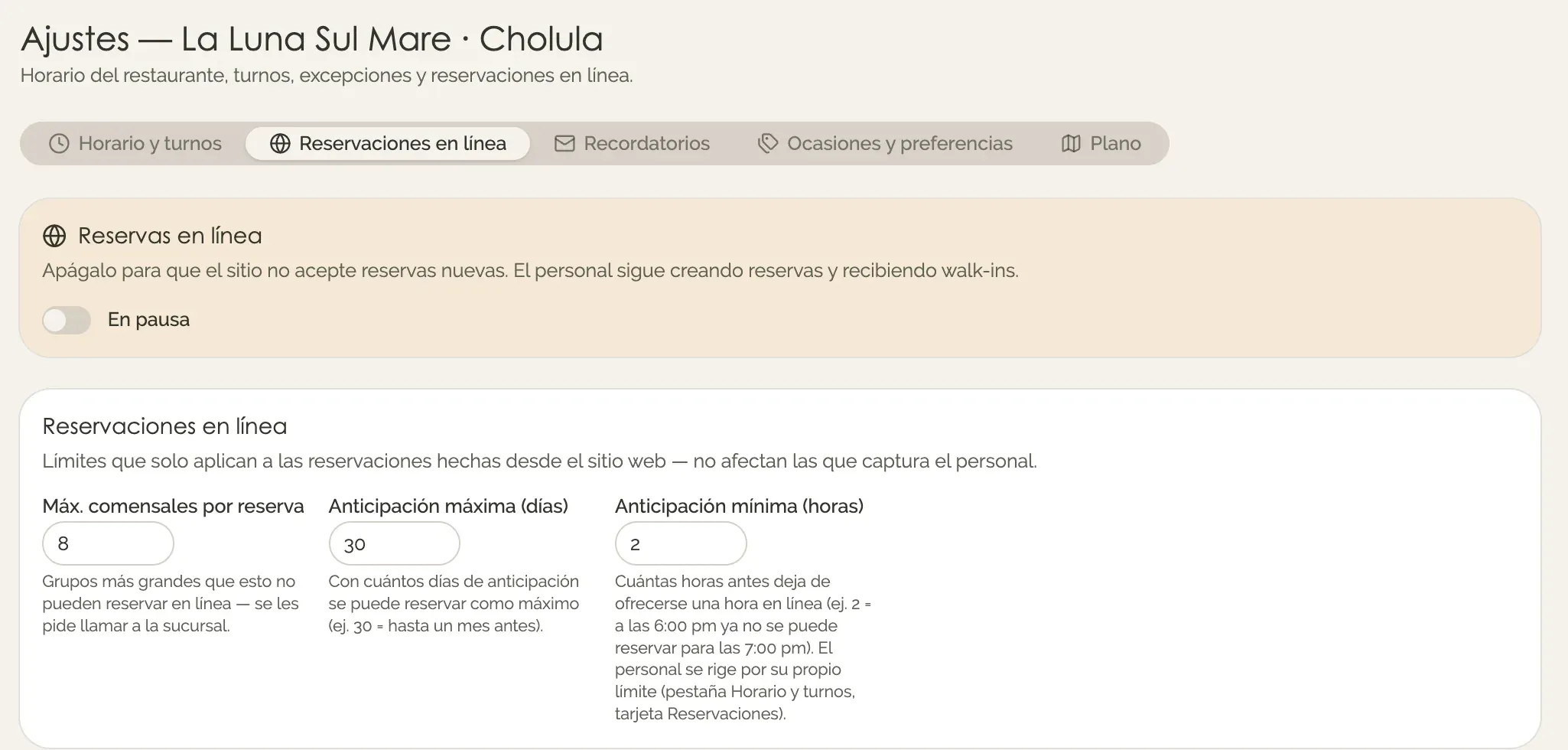
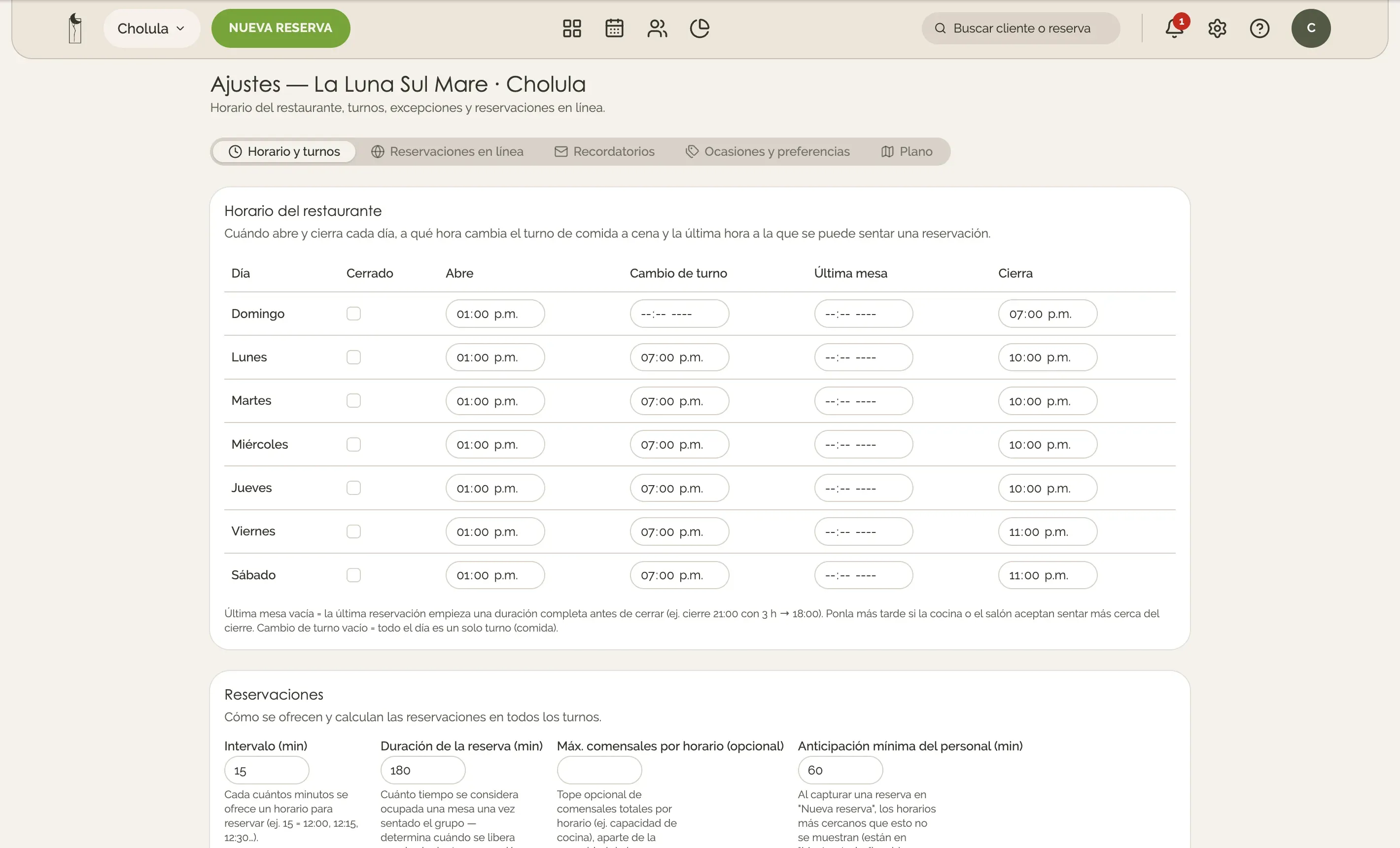
Each location also has its own Settings: hours by day of the week, the switch between lunch and dinner, last seating time, booking intervals, how long a table is held, date exceptions (holidays, private events) and the limits on online booking.
Floor Plan Editor
The plan seen in the day view is not an image: it is drawn in an editor inside the system itself. Managers drag tables, resize them, change their shape and rotation, group tables into zones and add decorative elements (walls, doors, bars) so the plan resembles the real room. Each table has a minimum and maximum capacity, which the system uses to offer tables and to warn when a party does not fit.
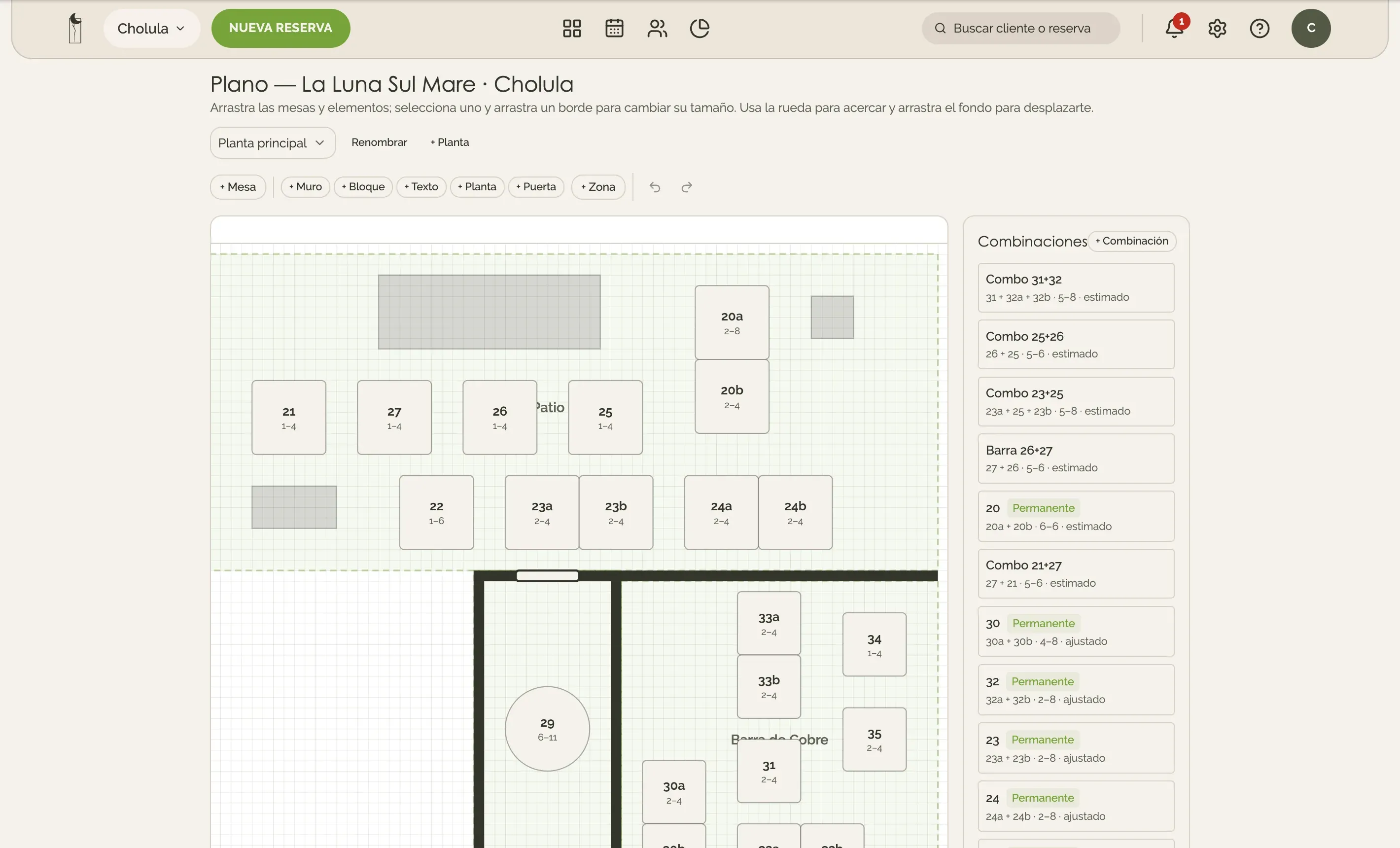
The plans for all four locations were drawn here, each with its own floors, zones and quirks. One detail that seems minor but received a lot of care: inside each table, the name, time and party size are arranged according to its shape and size, so text never gets cut off on a round table or a diamond.
Guests and the Month View
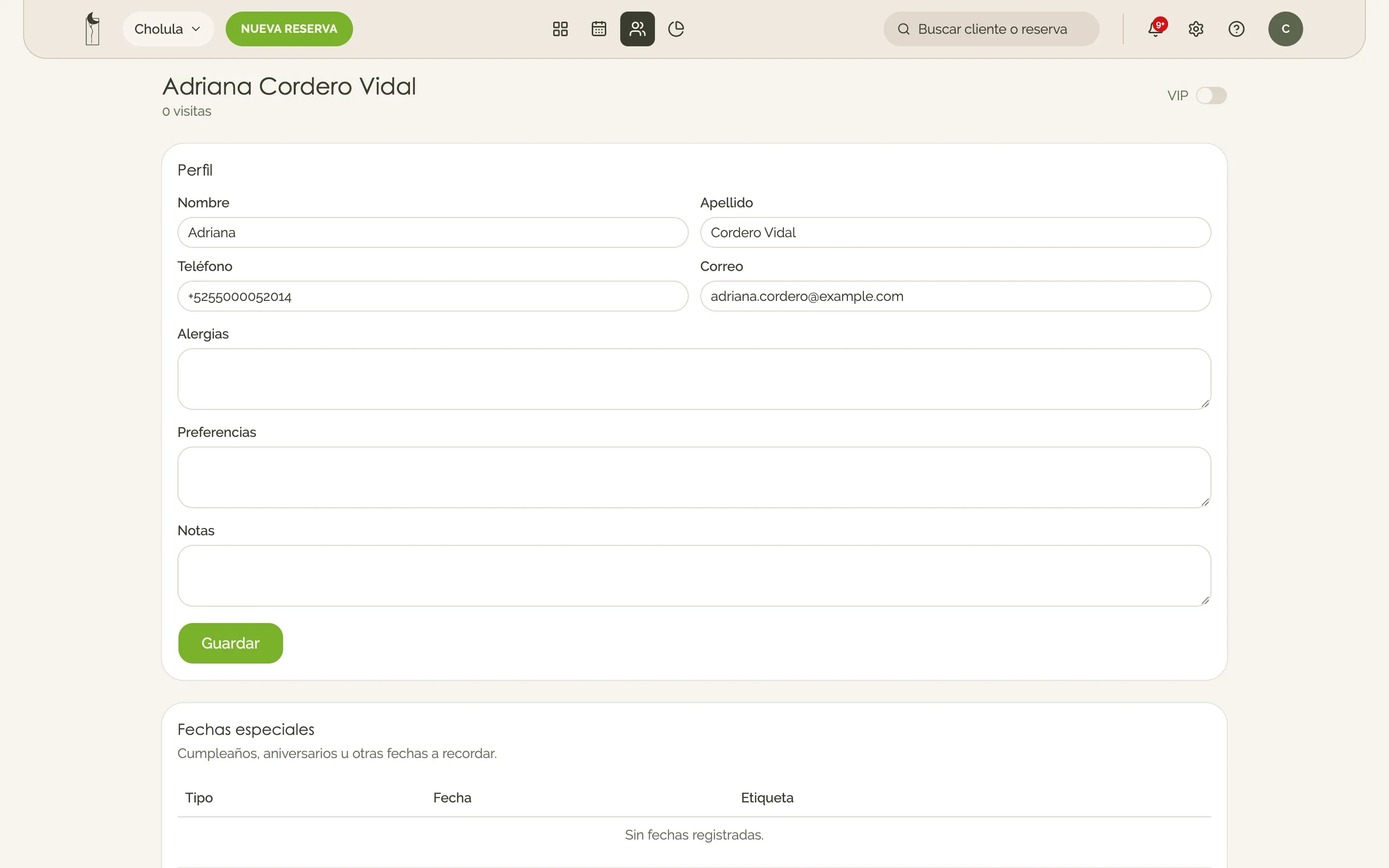
Each reservation is linked to a guest record, identified by phone number, with visit history, allergies, preferences, special dates and notes. Whoever welcomes the next visit already knows what to remember.
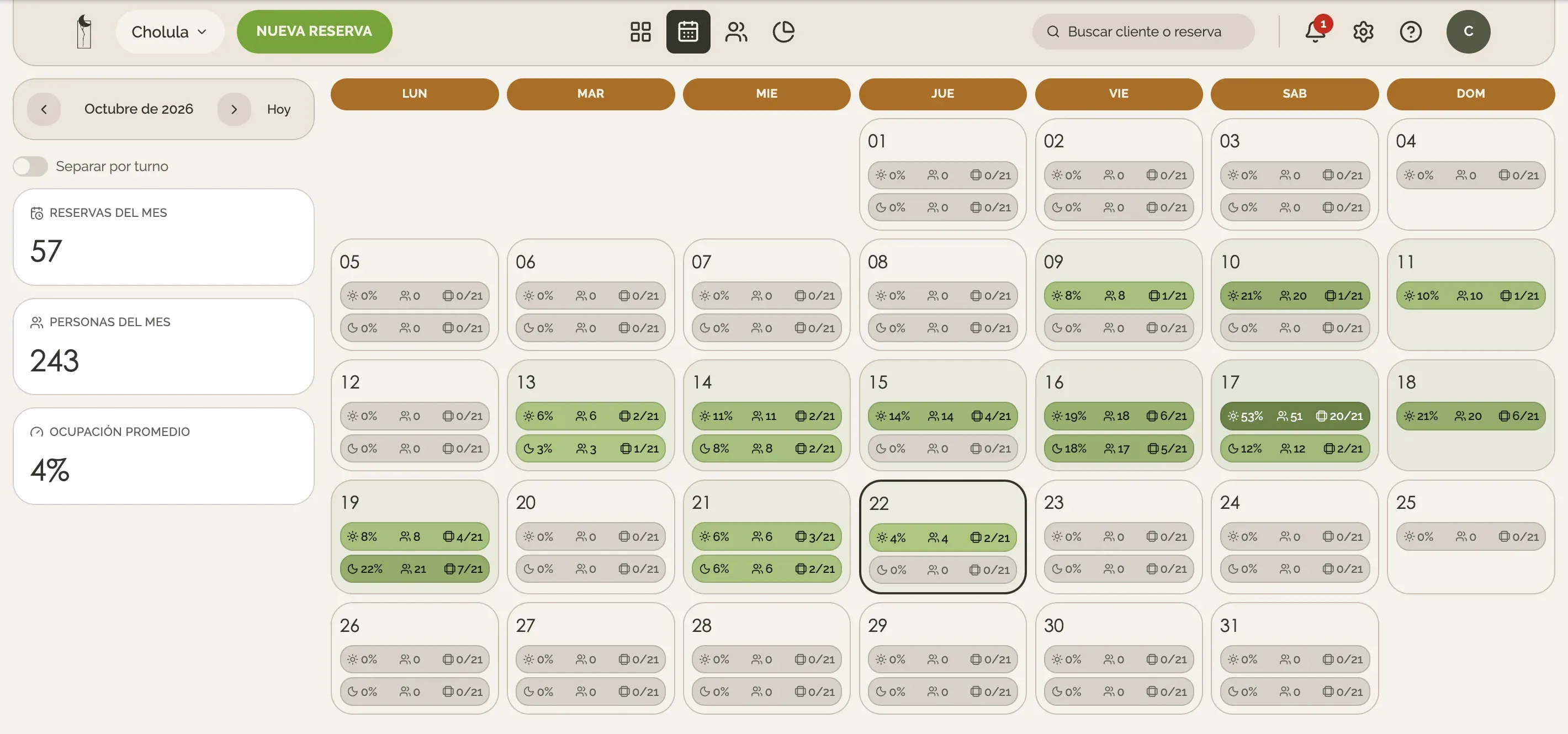
For the big picture, the month view summarizes each day with its occupancy by shift, party count and tables used.
Four Locations, One System
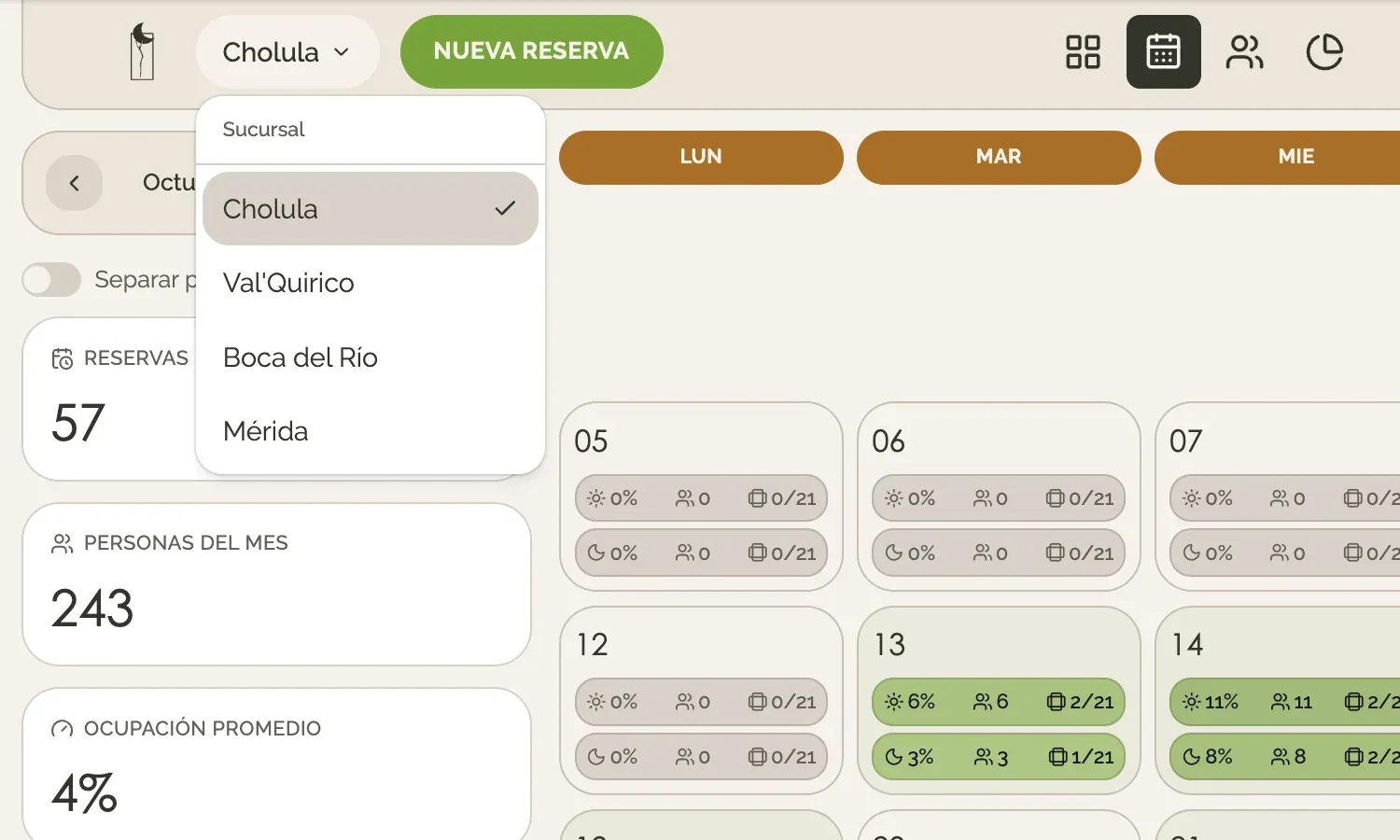
All four locations live in a single installation with one guest database, and each team member only sees the locations that apply to them. Anyone working at two locations switches between them from a selector in the top bar.
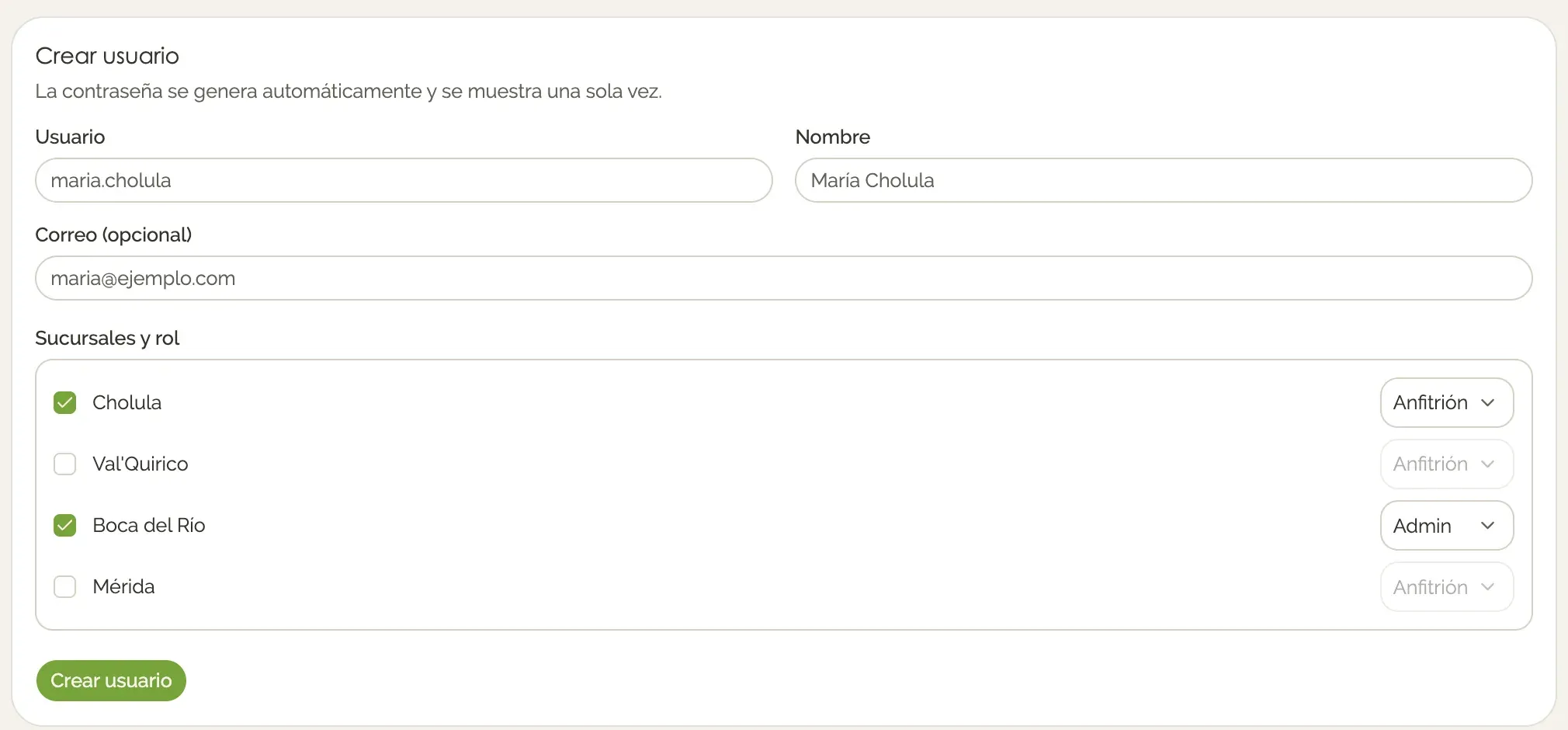
Access is managed from a configuration screen reserved for administrators. Each person has their own username and a role per location (host, or manager with access to Settings). Passwords are generated automatically and shown only once, and the system rejects any attempt to view a location that does not belong to the user, even if they know the address.
Designed for Touch
Floor staff work on their feet, with a tablet or a phone in hand. That is why the panel was designed touch-first: large targets, menus anchored to the table, press-and-hold to drag, and a phone version with the reservation list in a drawer that slides up from the bottom.
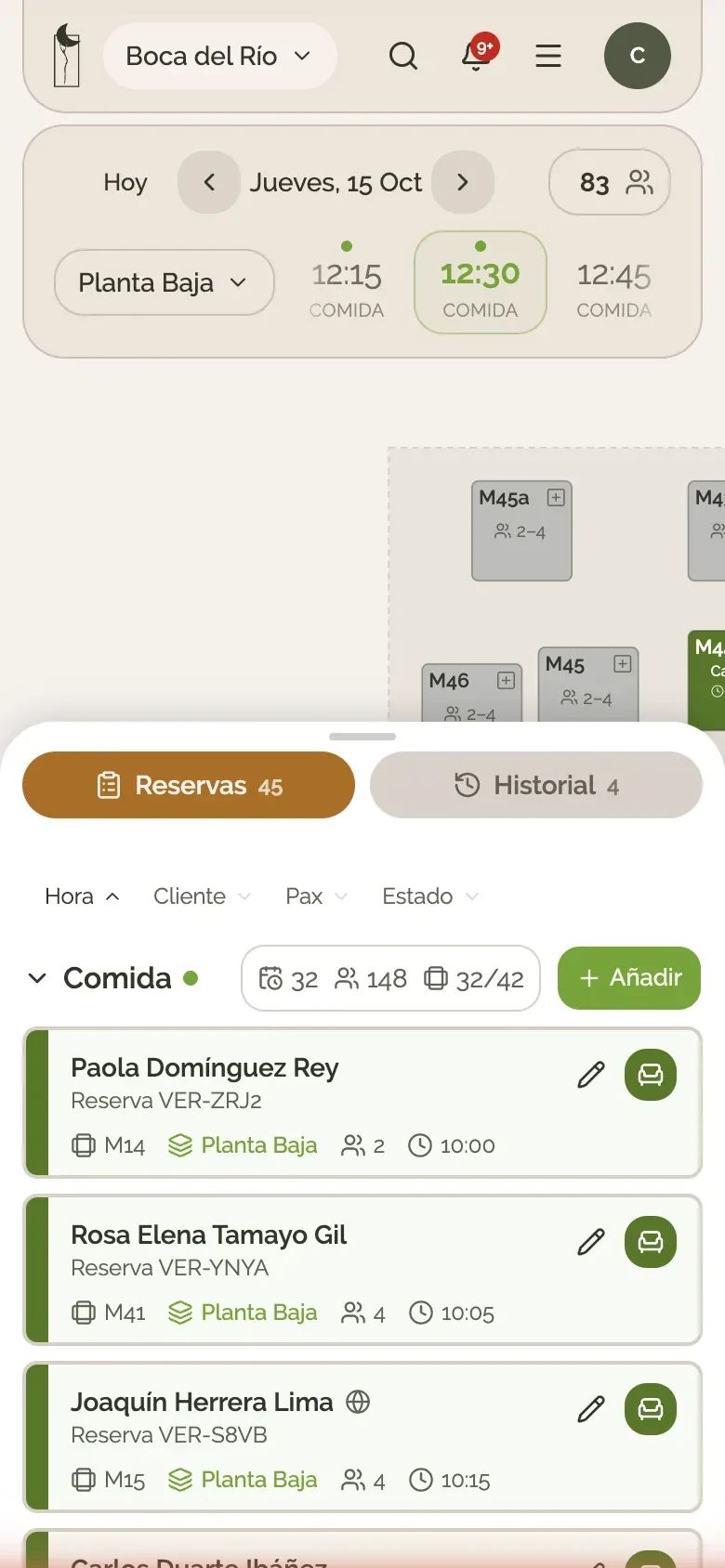
For the team, the system also includes a user manual inside the panel itself, written for non-technical readers, with practice exercises and a quick reference sheet.
Under the Hood
Without going into detail, these are the technical decisions that support all of the above:
- One installation, one database. The four locations share the same system and the same guests. This is what makes a unified guest base possible and, down the road, cross-location statistics.
- Business rules kept apart from everything else. Reservation states, time availability and table assignment were written as pure logic, independent of the interface and the database, and are covered by automated tests. This matters where a mistake is expensive: a time offered in error, or a table booked twice.
- Owned, serverless infrastructure. The system runs on Cloudflare under the client’s account, using Cloudflare’s database and its own authentication, with no third-party services per location.
- Careful database changes. Migrations are run deliberately and before publishing the code that needs them, so the production system never gets ahead of its database.
Conclusion
Thank you for joining us on this walkthrough of the La Luna Sul Mare reservations system. It is a good example of what we do when a business has outgrown generic tools: understand how the team works, build exactly what it needs, and deliver a system it owns that grows with the business. If you are thinking about something similar for your own operation, get in touch and let’s talk.